Choosing among the best computer processors under $200 means balancing performance, platform age, graphics support, and upgrade value. The right chip can make a budget desktop feel responsive without pushing the total build cost too high.
This roundup includes newer entry-level processors alongside older and renewed CPUs that may suit inexpensive upgrades. Check motherboard compatibility carefully before buying, since socket, chipset, memory support, and BIOS requirements vary widely.
Best 10 Computer Processors Under 200 Picks for 2026
Best Overall Value

- 6 cores and 12 threads
- 4.2 GHz Max Boost with unlocked overclocking
- Wraith Stealth cooler included
Best For: Budget gaming PCs with a discrete graphics card
Best Basic Desktop Pick
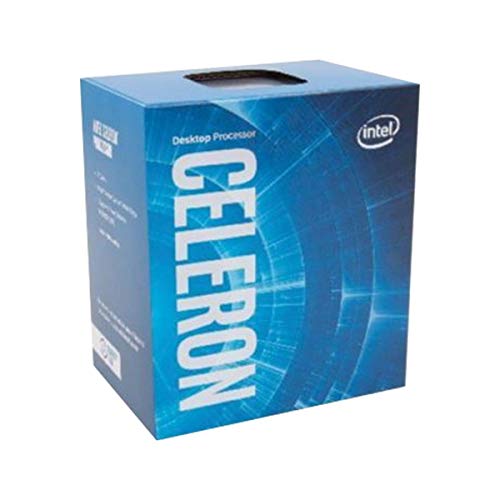
- 2.9 GHz processor speed
- Integrated Intel HD Graphics 610
- 51-watt power rating
Best For: Simple compatible LGA 1151 desktops
Best Integrated Graphics Choice

- Radeon Vega 8 graphics built in
- 4 cores with 4.0 GHz Max Boost
- Wraith Stealth cooler included
Best For: Entry-level PCs without a separate graphics card
Best Older Intel Upgrade

- 4 cores and 8 concurrent threads
- 3.8 GHz processor speed
- Integrated Intel HD Graphics 630
Best For: Compatible LGA 1151 replacement builds
Best Budget Entry

- 3.4 GHz clock speed
- LGA1200 socket with Intel 400 series support
- 2 cores and 2 threads
Best For: Basic Windows desktops and compatible budget builds
Best Older Quad-Core Value

- 4 cores and 4 threads
- 3.2 GHz speed with Turbo Boost
- Includes heatsink and HD Graphics 4600
Best For: Compatible LGA1150 desktop upgrades
Best Renewed Multithreading Option

- 4 cores and 8 threads
- 3.4 GHz speed with Turbo Boost
- 8 MB cache and LGA1155 socket
Best For: Renewed LGA1155 desktops using DDR3 memory
Best Modern Budget Pick

- 4 cores and 8 threads
- Up to 4.7 GHz with UHD Graphics 730
- Supports DDR4/DDR5 and PCIe 5.0
Best For: New budget Windows 11 desktops
Best for Legacy Upgrades
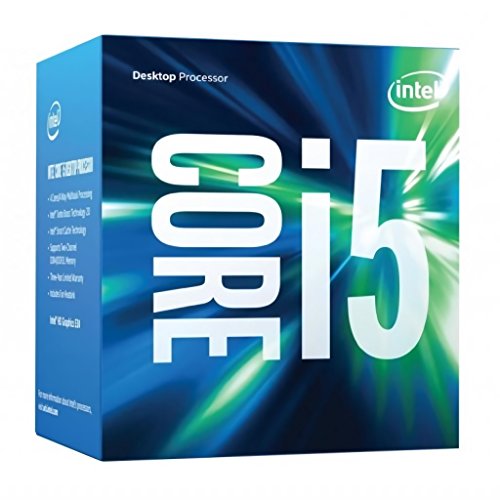
- Four-core Skylake processor
- 3.2 GHz speed with 6MB cache
- Fan and heat sink included
Best For: Compatible LGA1151 desktop upgrades
Best Renewed Performance Value

- 4 cores and 8 threads
- Up to 4.2 GHz with UHD Graphics 630
- Supports up to 64GB memory
Best For: Upgrading Intel 100/200-series desktops
Best Overall Value – AMD Ryzen 5 5500
AMD Ryzen 5 5500 6-Core, 12-Thread Unlocked Desktop Processor with Wraith Stealth Cooler
Check Price On AmazonFor shoppers comparing computer processors under 200, the AMD Ryzen 5 5500 is a strong desktop option when you already plan to use a discrete graphics card. Its six cores, 12 threads, 4.2 GHz Max Boost, and bundled Wraith Stealth cooler provide a capable foundation for gaming and everyday multitasking.
Best For: Budget-conscious gaming PCs using a discrete graphics card.
Pros:
- Six cores and 12 processing threads
- Up to 4.2 GHz Max Boost and unlocked overclocking support
- Includes an AMD Wraith Stealth cooler
- Supports DDR4-3200 on Socket AM4
Cons:
- Requires a discrete graphics card
- Uses the older Socket AM4 platform
The Ryzen 5 5500 stands out for its core and thread count at a budget-oriented price, especially for a new or upgraded AM4 gaming build. Remember to include a separate graphics card in your parts list.
Best Basic Desktop Pick – Intel Celeron G3930
Among computer processors under 200, the Intel Celeron G3930 is a basic dual-core-class option for compatible desktop systems. Its 2.9 GHz speed, low 51-watt rating, integrated Intel HD Graphics 610, and LGA 1151 socket suit simple computing builds rather than demanding workloads.
Best For: Basic desktops and straightforward LGA 1151 replacement builds.
Pros:
- 2.9 GHz processor speed
- Integrated Intel HD Graphics 610
- 51-watt power rating
- Compatible with Intel 200/100 Series chipsets, excluding Intel Optane support
Cons:
- Limited processing capacity for demanding multitasking
- Older LGA 1151 platform
The Celeron G3930 makes the most sense when you need a simple processor for an existing compatible system. Verify the motherboard socket and chipset before buying, particularly if Intel Optane support matters to you.
Best Integrated Graphics Choice – AMD Ryzen 3 3200G
The AMD Ryzen 3 3200G is a practical choice among computer processors under 200 when you want built-in graphics and do not want to buy a separate graphics card. It combines four cores, Radeon Vega 8 graphics, a 4.0 GHz Max Boost, and a bundled Wraith Stealth cooler in the Socket AM4 platform.
Best For: Entry-level gaming and general-use PCs without a separate graphics card.
Pros:
- Integrated Radeon Vega 8 graphics
- Four processing cores with a 4.0 GHz Max Boost
- Includes a quiet AMD Wraith Stealth cooler
- Unlocked for overclocking
Cons:
- Four threads are less suited to heavier multitasking
- Uses the older Socket AM4 platform
Choose the Ryzen 3 3200G if integrated graphics are a priority and your workloads are light to moderate. It is especially convenient for a compact budget build where adding a discrete graphics card is not part of the plan.
Best Older Intel Upgrade – Intel Core i5-7500
For buyers seeking computer processors under 200 for an existing compatible system, the Intel Core i5-7500 offers four cores, eight listed concurrent threads, and a 3.8 GHz speed. It also includes Intel HD Graphics 630, Turbo Boost 2.0, and a bundled fan/heatsink for a straightforward LGA 1151 desktop upgrade.
Best For: Replacing an older processor in a compatible LGA 1151 desktop.
Pros:
- Four cores and eight concurrent threads
- Up to 3.8 GHz processor speed
- Integrated Intel HD Graphics 630
- Includes a fan/heatsink and supports Turbo Boost 2.0
Cons:
- Older LGA 1151 platform
- Limited upgrade value for a brand-new build
The Core i5-7500 is most compelling when you already own a compatible motherboard and want a simple replacement or refresh. Confirm the motherboard and chipset match before ordering, since this processor is tied to an older platform.
Best Budget Entry – Intel Celeron G-5900
The Intel Celeron G-5900 is a straightforward option for buyers comparing computer processors under 200 for basic desktop use. Its 3.4 GHz clock speed, LGA1200 socket, and compatibility with Intel 400 series chipset motherboards make it suitable for a supported budget build.
Best For: Basic Windows desktops and affordable systems using compatible LGA1200 hardware.
Pros:
- 3.4 GHz processor speed
- Supports Intel 400 series chipset motherboards
- Supports Intel Optane Memory
Cons:
- Only 2 cores and 2 threads
- Limited 2 MB cache
The G-5900 focuses on affordability and platform compatibility rather than high multitasking capacity. Confirm that your motherboard uses the LGA1200 socket and an Intel 400 series chipset before purchasing.
Best Older Quad-Core Value – Intel Core i5-4570
Intel Core i5 i5-4570 3.20 GHz Processor - Socket H3 LGA-1150 - Quad-core (4 Core) - 6 MB Cache
Check Price On AmazonThe Intel Core i5-4570 is an older quad-core processor to consider when evaluating computer processors under 200 for a compatible LGA1150 system. It combines a 3.2 GHz speed with four cores, four threads, Turbo Boost technology, and integrated Intel HD Graphics 4600.
Best For: Upgrading or building a Windows desktop around an LGA1150 motherboard.
Pros:
- Quad-core, four-thread design
- Turbo Boost technology
- Includes a heatsink
- Integrated Intel HD Graphics 4600
Cons:
- Uses the older LGA1150 socket
- 84-watt power rating
The i5-4570 offers a more capable core and thread count than entry-level dual-core options in this group. Its main limitation is platform age, so verify motherboard compatibility and available cooling before ordering.
Best Renewed Multithreading Option – Intel Core i7-2600
The renewed Intel Core i7-2600 stands out among computer processors under 200 for buyers who need four cores with eight-way processing. It runs at 3.4 GHz, includes 8 MB of Intel Smart Cache, and uses the LGA1155 socket with dual-channel DDR3 memory support.
Best For: Renewed Windows desktops built around compatible LGA1155 and DDR3 hardware.
Pros:
- Four cores with eight threads
- 8 MB Intel Smart Cache
- Intel Turbo Boost technology
- Integrated Intel HD Graphics 2000
Cons:
- Older LGA1155 platform
- 95-watt TDP
- Renewed product with a 90-day limited warranty
The i7-2600 offers the highest thread count among these selections, but its older socket and DDR3 memory requirement make compatibility essential. The renewed status and shorter stated warranty should also factor into the buying decision.
Best Modern Budget Pick – Intel Core i3-14100
Intel Core i3-14100 Desktop Processor 4 cores (4 P-cores + 0 E-cores) up to 4.7 GHz
Check Price On AmazonFor shoppers comparing computer processors under 200, the Intel Core i3-14100 is a practical modern option with four performance cores, eight threads, and boost speeds up to 4.7 GHz. Its integrated graphics and support for current memory and PCIe standards also make it a flexible foundation for a budget desktop.
Best For: New Windows 11 desktops, everyday multitasking, and budget systems using DDR4 or DDR5 memory.
Pros:
- Four P-cores and eight threads support responsive multitasking.
- Boost frequency reaches up to 4.7 GHz.
- Includes Intel UHD Graphics 730 and a Laminar RM1 cooler.
- Supports PCIe 5.0, PCIe 4.0, and Intel 600- and 700-series chipsets.
Cons:
- Requires an LGA1700 motherboard.
- Some Intel 600-series boards may need a BIOS update.
- Offers four cores rather than the higher core counts found in more expensive processors.
The i3-14100 stands out when you want current platform support without moving beyond a budget-focused build. Its included cooler and integrated graphics can also simplify a basic desktop setup.
Best for Legacy Upgrades – Intel Core i5-6500
Among computer processors under 200, the Intel Core i5-6500 is primarily suited to upgrading an older LGA1151 desktop. Its four cores, 3.2 GHz base speed, and included fan and heat sink provide a straightforward replacement for compatible systems.
Best For: Older desktops built around Intel LGA1151 hardware and basic multitasking or everyday computing.
Pros:
- Four physical cores for everyday desktop workloads.
- Uses the widely established LGA1151 socket.
- Includes a fan and heat sink.
- Has a 65-watt power rating and 6MB cache.
Cons:
- Limited to four threads.
- Its 3.2 GHz speed is lower than newer budget processors.
- Requires an LGA1151-compatible motherboard.
The i5-6500 makes the most sense when you already own a compatible older platform and want a simple processor replacement. It is less suitable for a new build that needs current motherboard and memory standards.
Best Renewed Performance Value – Intel Core i7-7700
Intel Core i7-7700 Desktop Processor 4 Cores up to 4.2 GHz LGA 1151 100/200 Series 65W (Renewed)
Check Price On AmazonThe renewed Intel Core i7-7700 is an option for shoppers seeking computer processors under 200 for an existing Intel 100- or 200-series system. It combines four cores and eight threads with boost speeds up to 4.2 GHz, plus integrated Intel UHD Graphics 630.
Best For: Upgrading a compatible older desktop for multitasking while reusing its existing motherboard and DDR4 memory.
Pros:
- Four cores and eight threads support multitasking.
- Boosts up to 4.2 GHz with 8MB cache.
- Includes Intel UHD Graphics 630 and a fan/heatsink.
- Supports up to 64GB of memory.
Cons:
- Compatible only with Intel 100- or 200-series chipsets.
- Uses older DDR4-2133/2400 or DDR3L memory standards.
- Renewed condition comes with a 90-day limited warranty.
The i7-7700 can be a sensible drop-in upgrade when your existing motherboard is supported. Confirm the chipset and memory configuration first, since this processor is not intended for newer platforms.
How We Picked the Best Computer Processors Under 200
We focused on desktop processors priced for budget-conscious builders and upgraders, then considered core and thread count, clock speed, integrated graphics, platform compatibility, power requirements, and likely use cases. The selection spans current entry-level hardware and older chips that can still provide practical value when paired with a compatible motherboard.
Performance claims should be interpreted in context. A newer four-core processor may outperform an older Core i7 in everyday responsiveness and efficiency, while a six-core Ryzen chip can offer stronger multitasking than many older quad-core models. Renewed processors can be worthwhile, but they deserve extra attention to seller reputation, return coverage, and condition.
Quick Comparison
| Best For | Processor Type | What to Look For |
|---|---|---|
| New budget builds | Recent Intel Core models | Modern platform support and strong single-core speed |
| Multitasking on a budget | AMD Ryzen 5 | Six cores, twelve threads, and an appropriate AM4 board |
| Low-cost systems without a graphics card | APU or integrated-graphics CPU | Built-in Radeon or Intel graphics support |
| Older PC upgrades | Compatible legacy Intel or AMD chips | Exact socket, chipset, BIOS, and memory compatibility |
Key Buying Factors for Computer Processors Under $200
Compatibility Comes First
Match the processor to the motherboard socket and chipset, and verify BIOS support before ordering. Older Intel models may use LGA 1150, LGA 1151, or other discontinued platforms, while Ryzen options may require a specific AM4 motherboard and BIOS version. Confirm memory type as well; DDR3 and DDR4 systems are not interchangeable.
Core Count, Threads, and Real-World Speed
For web browsing, office work, and light school use, a modern four-core CPU is usually sufficient. Six cores and twelve threads are more useful for compiling, streaming, heavy multitasking, and content creation. Clock speed matters, but architecture and generation also affect performance, so do not compare gigahertz values alone.
Integrated Graphics and Cooling
If you are not installing a separate graphics card, choose a processor with usable integrated graphics or a Radeon-based APU. Also check whether a cooler is included. A bundled cooler can reduce build cost, while an unlocked processor may benefit from stronger cooling if you plan to adjust performance settings.
New Versus Renewed Hardware
Newer processors generally offer better efficiency, platform longevity, and support. Renewed or older CPUs can be sensible for replacing a failed chip in an existing system, but they are less attractive for a completely new build unless the motherboard and memory are already available.
Who Should Buy Which Computer Processors Under 200?
- For a new everyday PC: Choose the newest compatible Intel Core option in the list for a balanced mix of responsiveness, efficiency, and future usability.
- For budget multitasking: A six-core, twelve-thread Ryzen 5 is appealing when you already have, or can afford, a compatible AM4 platform.
- For a basic PC without a graphics card: Select a model with integrated graphics, such as a Ryzen APU or Intel processor with built-in graphics.
- For an inexpensive legacy upgrade: Match an older Core i5 or Core i7 to the exact existing socket, chipset, BIOS, and memory configuration.
- For the lowest-cost replacement: Entry-level Celeron models can handle simple office and browsing workloads, but they are not ideal for demanding multitasking or gaming.
Before checkout, compare the total platform cost—not just the CPU price. A seemingly inexpensive processor may require a motherboard, cooler, memory, or graphics card that changes the value calculation.