Need more affordable storage for a laptop, desktop, game system, or compact computer? These 2.5-inch internal hard drives offer a practical way to expand capacity without moving to a larger 3.5-inch drive.
Our selection includes slim 7mm models, higher-capacity 15mm drives, faster 7200 RPM options, and enterprise-oriented storage. Check compatibility, capacity, and intended workload before choosing.
Best 10 2.5 Inch Internal Hard Drives Picks for 2026
Best All-Around Capacity
Seagate BarraCuda 2TB 2.5-Inch HDD
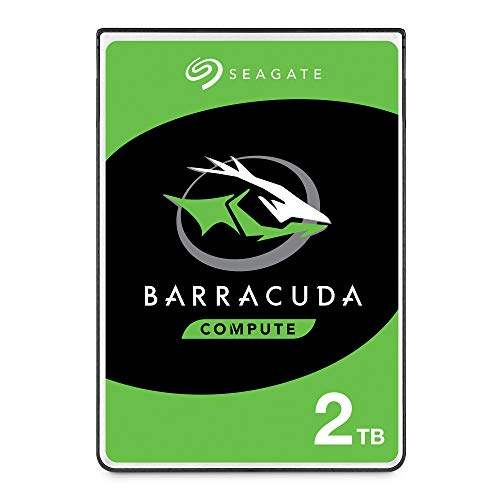
- 2TB storage with a 128MB cache
- SATA 6Gb/s interface and 5,400 RPM
- Works with laptops and PCs
Best For: General-purpose laptop or desktop storage
Best for Laptop Upgrades

- 2TB capacity in a 9.5mm-height design
- Laptop and gaming-system focused
- Shock sensors and ramp loading
Best For: Compatible laptop storage upgrades
Best High-Capacity Option
Seagate BarraCuda Mobile 4TB HDD

- Large 4TB capacity
- SATA 6Gb/s with 128MB cache
- 15mm design for compatible systems
Best For: High-capacity storage in a supported mobile system
Best Thin 1TB Upgrade

- 1TB mechanical storage
- Slim 7mm, lightweight design
- SATA 6Gb/s and 128MB cache
Best For: Thin laptop storage upgrades
Best 2TB Capacity Pick

- 2TB storage capacity
- Slim 7mm 2.5-inch form factor
- Quiet operation with 128MB cache
Best For: High-capacity general computing storage
Best Performance HDD

- 7200 RPM mechanical performance
- 128MB cache with SATA 6Gb/s
- Five-year warranty and recovery services
Best For: Performance-focused PC and laptop storage
High-Capacity Desktop Storage

- 5TB capacity with 128MB cache
- Up to 140MB/s and SATA 6Gb/s
- 15mm design for desktop use only
Best For: Desktop systems needing abundant storage
Balanced Laptop Upgrade

- 2TB capacity in a 2.5-inch format
- Up to 140MB/s with 128MB cache
- Two-year limited warranty
Best For: Laptop storage upgrades and everyday files
Full-Size Capacity Choice

- 5TB capacity for extensive PC storage
- Up to 140MB/s with 128MB cache
- SMART and hot-plug support
Best For: Media-heavy PC and desktop storage
Best All-Around Capacity – Seagate BarraCuda 2TB 2.5-Inch HDD
For shoppers comparing 2.5 inch internal hard drives, the Seagate BarraCuda 2TB is a versatile SATA option for laptops, PCs, and everyday storage. Its 5,400 RPM design, 128MB cache, and 2TB capacity suit media libraries, documents, photo and video projects, and PC gaming.
Best For: General-purpose laptop or desktop storage where capacity and broad compatibility matter.
Pros:
- Provides 2TB of storage in a 2.5-inch form factor.
- Uses SATA 6Gb/s connectivity and includes a 128MB cache.
- Suitable for laptops, PCs, business, and personal use.
- Backed by a two-year limited warranty and listed data recovery service.
Cons:
- The 5,400 RPM mechanical design prioritizes capacity over maximum rotational speed.
- Confirm that your system supports a 2.5-inch SATA drive before buying.
The BarraCuda is a sensible all-purpose pick when you want substantial storage from a recognized internal-drive line without targeting a specialized server workload.
Best for Server Storage – Seagate Enterprise 2TB 2.5-Inch HDD
Among 2.5 inch internal hard drives, the Seagate Enterprise ST2000NX0253 is aimed at business-server installations rather than ordinary laptop upgrades. It combines 2TB capacity with a 7,200 RPM spindle speed, SATA 6Gb/s connectivity, and a 128MB cache.
Best For: Compatible business-server systems that specifically support this enterprise 2.5-inch SATA drive.
Pros:
- Designed for business-server use.
- Faster 7,200 RPM rotational speed than the 5,400 RPM models listed here.
- Offers 2TB capacity and a 128MB cache.
- Uses SATA 6Gb/s connectivity.
Cons:
- The supplied notes explicitly state that it is for servers only and not laptops.
- Compatibility should be checked carefully before installation.
- It is a bare mechanical drive, so system-specific mounting and setup may be required.
This model makes the most sense when you need an enterprise-oriented drive for a supported server platform. It is not the right choice for a typical notebook replacement.
Best for Laptop Upgrades – Toshiba L200 2TB 2.5-Inch HDD
The Toshiba L200 is a practical choice among 2.5 inch internal hard drives for laptop and compatible gaming-system upgrades. It provides 2TB of storage, a 5,400 RPM motor, SATA 6Gb/s connectivity, and a 128MB cache in a 9.5mm-height design.
Best For: Laptop owners seeking high-capacity internal storage for personal files, games, or business data.
Pros:
- Offers 2TB of internal storage.
- Designed for laptop PCs and gaming systems.
- Includes shock sensors and ramp-loading technology.
- Uses a low-power profile intended to help optimize battery life.
Cons:
- The 5,400 RPM mechanical design is not aimed at maximum drive speed.
- The 9.5mm height must match the available space in the host device.
- As a bare internal drive, installation hardware may depend on the laptop.
With laptop-focused features and a substantial capacity, the L200 is a well-matched option for compatible notebooks that need more room without moving to an external drive.
Best High-Capacity Option – Seagate BarraCuda Mobile 4TB HDD
For buyers who need more room than a typical 2TB model, the Seagate BarraCuda Mobile provides 4TB in a 2.5-inch form factor. Its SATA 6Gb/s interface, 128MB cache, and multi-tier caching technology are suited to storing games, music, movies, and other large files.
Best For: Compatible laptops or mobile systems with enough clearance for a 15mm-thick drive and a need for maximum capacity.
Pros:
- Provides 4TB of storage, double the capacity of the listed 2TB models.
- Uses a SATA 6Gb/s interface and 128MB cache.
- Designed for storing games, music, movies, and other large collections.
- Multi-tier caching technology is intended to support responsive performance with lower power consumption.
Cons:
- The 15mm thickness will not fit every laptop or 2.5-inch bay.
- It has a one-year limited warranty.
- Compatibility should be verified because the supplied notes identify it for laptop platforms.
This is the capacity-focused choice in the group. Its main tradeoff is physical clearance, so confirm that the host device accepts a 15mm 2.5-inch drive before purchasing.
Best Thin 1TB Upgrade – Seagate 1TB Mobile HDD
Seagate 1TB Mobile HDD SATA 6Gb/s 128MB Cache 2.5" Internal Bare Drive (ST1000LM035)
Check Price On AmazonFor shoppers comparing 2.5 inch internal hard drives for a laptop, this Seagate Mobile HDD offers 1TB of mechanical storage in a slim 7mm design. Its SATA 6Gb/s interface supports straightforward integration with compatible systems.
Best For: Laptop upgrades requiring portable, high-capacity storage in a thin form factor.
Pros:
- 1TB capacity for photos, music, video, and general files
- Thin 7mm profile and lightweight 3.2-ounce design
- SATA 6Gb/s interface with 128MB cache
Cons:
- 5400 RPM mechanical design is oriented toward everyday storage rather than maximum performance
- Compatibility depends on the laptop accepting a 2.5-inch, 7mm drive
This is a practical choice when physical clearance and capacity matter more than performance-focused specifications. Confirm your laptop’s drive-bay requirements before buying.
Best 2TB Capacity Pick – Seagate 2TB BarraCuda
Seagate 2TB BarraCuda SATA 6Gb/s 128MB Cache 2.5-Inch 7mm Internal Hard Drive (ST2000LM015)
Check Price On AmazonThis 2TB BarraCuda is a high-capacity option among 2.5 inch internal hard drives, using a 7mm form factor and SATA 6Gb/s connectivity. It is designed for general personal computing and emphasizes quiet operation and power-conscious use.
Best For: Laptop or compatible compact-system users who want substantial storage for general files and media.
Pros:
- Generous 2TB capacity
- 7mm 2.5-inch form factor with SATA 6Gb/s connectivity
- 128MB cache, quiet operation, and advanced power modes
- Native Command Queuing and on-the-fly error correction
Cons:
- 5400 RPM mechanical drive may not match the responsiveness of an SSD
- System compatibility should be verified because product listings identify different compatible device categories
The main appeal is capacity: this drive gives compatible systems considerable room for personal files and media while retaining a slim profile. Check interface and bay support carefully before installation.
Best Performance HDD – Seagate BarraCuda Pro 500GB
For buyers seeking performance-oriented 2.5 inch internal hard drives, the Seagate BarraCuda Pro combines a 7200 RPM mechanical design with 128MB caching and SATA 6Gb/s connectivity. Its 500GB capacity suits focused projects, gaming builds, and everyday PC or laptop use.
Best For: Users who prioritize faster mechanical-drive performance for gaming, photo, music, or video workloads.
Pros:
- 7200 RPM speed for more performance-focused use
- SATA 6Gb/s interface and 128MB cache
- Compatible with desktop and laptop systems using the required 2.5-inch bay
- Five-year limited warranty and two-year Rescue Data Recovery Services
Cons:
- 500GB capacity is lower than the other listed Seagate options
- Mechanical HDD technology will not provide SSD-level responsiveness
This model stands out when rotational speed, warranty coverage, and recovery support are more important than maximum capacity. It is a strong fit for users who want a faster traditional hard drive for compatible hardware.
High-Capacity Desktop Storage – BarraCuda 5TB Renewed
For shoppers comparing 2.5 inch internal hard drives, this renewed Seagate BarraCuda stands out with 5TB of capacity, a 5400RPM spindle speed, and a 128MB cache. Its 15mm height is intended for desktop PC use with the appropriate mounting setup, rather than standard laptop or game-console bays.
Best For: Desktop PCs, workstations, servers, and external USB-adapter setups that need high-capacity storage.
Pros:
- Large 5TB capacity for extensive music, video, photo, and general file storage.
- Up to 140MB/s speeds with a 128MB cache and SATA 6Gb/s interface.
- QuietStep Ramp Load feature is designed for whisper-quiet load and unload acoustics.
- Includes a two-year seller warranty.
Cons:
- 15mm thickness limits compatibility with many laptops and game consoles.
- Renewed condition may be less appealing than a new drive for buyers prioritizing brand-new hardware.
This is a strong capacity-first choice among 2.5 inch internal hard drives, provided your desktop enclosure can accommodate its unusually tall 15mm profile. Confirm the mounting clearance before ordering.
Balanced Laptop Upgrade – BarraCuda 2TB Mobile HDD
This 2TB Seagate BarraCuda is a practical option for shoppers seeking 2.5 inch internal hard drives for laptop storage upgrades. It combines a compact 2.5-inch form factor with a 5400RPM speed, 128MB cache, SATA 6Gb/s connectivity, and data transfer rates of up to 140MB/s.
Best For: Laptop owners who want a higher-capacity internal drive for business, personal files, applications, and media.
Pros:
- 2TB capacity provides substantial storage in a laptop-oriented 2.5-inch format.
- Specialized caching technology is designed to support optimized data flow and faster loading.
- Offers up to 140MB/s read speed with a 128MB cache.
- Backed by a two-year limited warranty.
Cons:
- 5400RPM performance is aimed at general storage rather than maximum drive speed.
- Actual available storage capacity may vary.
For a conventional laptop upgrade, this BarraCuda balances capacity, familiar SATA compatibility, and a standard 2.5-inch design. Check your system’s drive-height and interface requirements before installation.
Full-Size Capacity Choice – BarraCuda 5TB Internal HDD
Among 2.5 inch internal hard drives, this Seagate BarraCuda offers a substantial 5TB capacity for PC storage, media libraries, and demanding personal projects. It uses a 5400RPM mechanism, 128MB cache, and SATA 6Gb/s interface, with read speeds listed up to 140MB/s.
Best For: PC users building large desktop or computer storage pools for music, video, photos, games, and general files.
Pros:
- High 5TB capacity supports large collections and project files.
- Designed for a broad range of PC applications, including media editing and PC gaming.
- Includes SMART and hot-plug support features.
- Backed by a two-year limited warranty.
Cons:
- 5400RPM operation prioritizes capacity over the responsiveness of faster storage solutions.
- The 0.59-inch thickness may not fit every 2.5-inch bay or enclosure.
This model is a sensible pick when storage volume matters more than peak performance. Its 5TB capacity is especially useful for media-heavy PC setups, but verify physical clearance and SATA support before purchase.
How We Picked the Best 2.5 Inch Internal Hard Drives
We selected drives based on the specifications that matter most for internal storage: capacity, physical height, SATA interface compatibility, rotational speed, cache size, product purpose, and value. The list includes common laptop and desktop upgrade options alongside higher-capacity and enterprise-oriented models.
Because hard drives can vary by seller, condition, and packaging, verify the exact model number before ordering. Renewed and bare/OEM drives may have different warranties or accessories than retail-packaged products.
Quick Comparison
| Best For | Recommended Type | What to Look For |
|---|---|---|
| Everyday laptop or desktop storage | 2TB, 5400 RPM, 7mm or 9.5mm | Standard SATA compatibility and suitable height |
| Maximum capacity | 4TB or 5TB, typically 15mm | Drive-bay clearance and adequate cooling |
| Faster hard-drive performance | 7200 RPM model | Higher speed, with potentially more heat and noise |
| Business or specialized workloads | Enterprise-rated model | Workload rating, warranty, and system support |
Key Buying Factors for 2.5 Inch Internal Hard Drives
Compatibility and Drive Height
Most 2.5-inch drives use a SATA connection, but physical thickness is critical. Slim laptops commonly accept 7mm drives, while some older systems support 9.5mm models. High-capacity 4TB and 5TB drives are often 15mm thick and may not fit standard laptop bays. Confirm the manufacturer’s maximum supported height before buying.
Capacity and Workload
Choose capacity according to the files and applications you expect to store. A 1TB drive suits basic documents and media, while 2TB is a flexible middle ground. Choose 4TB or 5TB for large media libraries, backups, or archival storage, provided the enclosure has enough room.
Speed, Cache, and Reliability
5400 RPM drives generally prioritize lower power use and quieter operation. A 7200 RPM model can offer stronger responsiveness for supported workloads but may use more power and produce additional heat. Cache size can help burst performance, but it does not make a mechanical drive equivalent to an SSD. For operating-system responsiveness, an SSD is usually the better primary drive; these HDDs are especially useful for inexpensive bulk storage.
Retail, Bare, and Renewed Drives
Retail products may include clearer warranty coverage and packaging. Bare or OEM drives can be less expensive but may ship without mounting hardware or cables. Renewed products can offer value, though their condition, remaining service life, and warranty should be checked carefully.
Who Should Buy Which 2.5 Inch Internal Hard Drives?
Choose a slim 7mm or 9.5mm 1TB–2TB model for a straightforward laptop upgrade or secondary desktop drive. Select a 4TB or 5TB 15mm option for maximum capacity in a compatible enclosure or desktop bay. A 7200 RPM BarraCuda Pro model is better suited to buyers who value hard-drive speed over low power consumption. For business systems or heavier workloads, consider the enterprise model only after confirming compatibility, workload requirements, and support terms. If the drive will hold irreplaceable data, use a separate backup rather than relying on a single internal disk.