A dependable internal hard drive can make desktop backups more affordable while giving you plenty of space for photos, video, documents, and system images. The right choice depends on capacity, workload, drive technology, and whether the disk will run occasionally or continuously.
We compared 10 options across Seagate and Western Digital’s desktop, NAS, and performance-focused ranges. Use the guide below to match your backup needs with the right size, speed, and reliability features.
Best 10 Internal Hard Drives for Desktop Backups Picks for 2026
Best Overall Capacity Value

- 4TB desktop storage
- SATA 6 Gb/s and 256MB cache
- DiscWizard cloning software
Best For: Versatile desktop backups and everyday storage
Best Plug-and-Play Backup Option

- 8TB external capacity
- USB-C connection for Mac and PC
- Rescue Data Recovery Services
Best For: Simple, separate desktop backups
Best Everyday Desktop Choice
- 4TB internal capacity
- SATA 6 Gb/s interface
- Acronis cloning software included
Best For: Routine home, business, and creator backups
Best High-Capacity Internal Pick

- 8TB internal storage
- 256MB cache and SATA 6 Gb/s
- Up to 190 MB/s sustained transfer
Best For: Large media libraries and multiple desktop backups
High-Capacity Desktop Backup Pick
- 12TB capacity for extensive local backups
- 7200 RPM with 512 MB cache
- Includes Acronis cloning software
Best For: Desktop users prioritizing maximum storage capacity
Budget Desktop Backup Pick

- Affordable 1TB storage option
- 7200 RPM performance
- SATA 6 Gb/s and backward compatible
Best For: Basic desktop backups on a tighter budget
Best All-Around Value

- 2TB capacity for everyday desktop backups
- 7200 RPM with 256MB cache
- DiscWizard supports cloning and migration
Best For: Home users needing versatile desktop backup storage
Best High-Capacity Upgrade

- 10TB for extensive desktop backups
- 7200 RPM and 512MB cache
- 5-year limited warranty
Best For: Large media, gaming, and creative project libraries
Best Overall Capacity Value – Seagate BarraCuda 4TB
For shoppers comparing internal hard drives for desktop backups, the Seagate BarraCuda 4TB offers a practical balance of capacity, SATA compatibility, and everyday performance. Its 3.5-inch design is intended for desktop PCs and provides up to 190 MB/s sustained transfer speeds.
Best For: Desktop users who want a versatile 4TB internal drive for backups, media, and general storage.
Pros:
- 4TB capacity for documents, photos, video, and other files
- SATA 6 Gb/s interface with a 256MB cache
- Includes access to Seagate DiscWizard for migration and cloning
- Two-year warranty and listed data recovery service
Cons:
- 5400 RPM speed is aimed more at capacity and everyday use than maximum responsiveness
- Designed for desktop installation rather than portable use
This BarraCuda is a sensible all-purpose choice when you need substantial internal backup space without moving to a larger 8TB model. Confirm that your desktop has an available 3.5-inch bay and SATA connection before buying.
Best Plug-and-Play Backup Option – Seagate One Touch 8TB
Although it is external rather than an internal drive, the Seagate One Touch 8TB is worth considering for desktop backups when simple setup and large capacity matter most. It connects over USB-C, works with Windows and macOS, and does not require a wall outlet according to the supplied product information.
Best For: Users who want high-capacity desktop backup storage without opening the computer case.
Pros:
- Large 8TB capacity for consolidating files
- USB-C connectivity with a single-cable setup
- Compatible with both Mac and PC platforms
- Includes Rescue Data Recovery Services and a two-year limited warranty
Cons:
- Not an internal drive, so it does not replace a SATA installation
- USB-connected storage may not suit users seeking an integrated desktop drive
This is the most convenient option in the group for keeping backups separate from the computer. Choose it if external access and 8TB of space are more important than installing a drive inside the desktop.
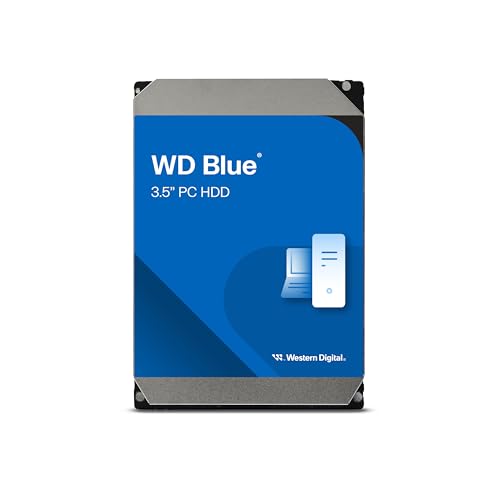
Best Everyday Desktop Choice – WD Blue 4TB
The WD Blue 4TB is a straightforward option for internal hard drives for desktop backups, with a 3.5-inch form factor, SATA 6 Gb/s interface, and 5400 RPM operation. It is positioned for reliable everyday computing and includes Acronis True Image WD Edition cloning software.
Best For: Home, business, and creator desktops needing dependable 4TB internal storage.
Pros:
- 4TB capacity for routine backups and file storage
- SATA 6 Gb/s interface and reported 180 MB/s read speed
- Includes Acronis True Image WD Edition cloning software
- Two-year limited warranty
Cons:
- 5400 RPM operation is not intended as the fastest desktop storage option
- Requires an available internal 3.5-inch drive position and SATA connection
WD Blue makes sense for buyers who prefer a familiar, general-purpose internal drive and useful cloning software. Its specifications fit routine desktop backup duties, while the 4TB capacity keeps the price and size more moderate than an 8TB model.
Best High-Capacity Internal Pick – Seagate BarraCuda 8TB
For desktop owners who need more room than a 4TB drive provides, the Seagate BarraCuda 8TB delivers substantial internal capacity in a 3.5-inch SATA format. It offers a 256MB cache and up to 190 MB/s sustained transfer speed for broad storage and backup workloads.
Best For: Desktop users storing large media libraries, project files, and multiple backup sets internally.
Pros:
- Generous 8TB capacity for extensive desktop backups
- SATA 6 Gb/s interface with a 256MB cache
- Reported sustained transfer rate of up to 190 MB/s
- Two-year limited warranty and listed data recovery service
Cons:
- 5400 RPM speed prioritizes capacity over maximum drive responsiveness
- Frustration-Free Packaging is described as an anti-static bag with no cables or box
- Requires internal desktop installation
This is the strongest fit when capacity is the deciding factor and you specifically want an internal SATA drive. Check your case clearance, mounting hardware, and available SATA power and data connections because the package does not include cables.
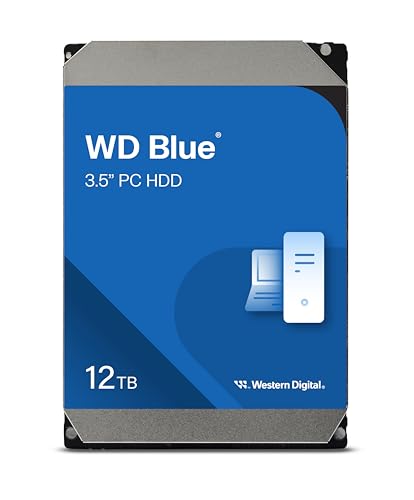
High-Capacity Desktop Backup Pick – WD Blue 12TB
For shoppers comparing internal hard drives for desktop backups, the Western Digital WD Blue 12TB is a high-capacity 3.5-inch SATA option designed for everyday computing. Its 7200 RPM speed, 512 MB cache, and included cloning software make it practical for adding substantial storage or migrating an existing drive.
Best For: Desktop users who want substantial local backup capacity and straightforward SATA installation.
Pros:
- Large 12TB storage capacity
- 7200 RPM rotation and 512 MB cache
- Includes free Acronis True Image WD Edition cloning software
- Backed by a 2-year limited warranty
Cons:
- Mechanical HDDs are generally slower than SSDs
- Requires a compatible internal 3.5-inch SATA bay and connection
The WD Blue stands out when capacity is the priority. It is a sensible desktop backup drive for users who need room for large personal or business files, though buyers should confirm their PC has the required SATA connection and mounting space.
Budget Desktop Backup Pick – Seagate 1TB HDD
For basic internal hard drives for desktop backups, the Seagate 1TB Desktop HDD offers an affordable 3.5-inch SATA solution. Its 7200 RPM speed and 64 MB cache suit everyday personal storage, file copies, and general desktop use when a modest capacity is sufficient.
Best For: Budget-conscious desktop users who need a basic 1TB internal backup or supplemental storage drive.
Pros:
- Low-cost way to add 1TB of internal storage
- 7200 RPM rotational speed
- SATA 6 Gb/s interface with backward compatibility
- Covered by a 2-year limited warranty
Cons:
- 1TB capacity may be limiting for large media libraries or extensive backups
- Mechanical HDD design is less responsive than an SSD
- Requires a compatible internal desktop installation
This Seagate model makes the most sense for smaller backup jobs and cost-sensitive upgrades. Choose it when 1TB is enough; users backing up large collections may benefit from a higher-capacity drive.
NAS-Ready Backup Pick – WD Red Plus 8TB
The Western Digital WD Red Plus 8TB is a specialized choice among internal hard drives for desktop backups, particularly for users building storage around a NAS. It uses CMR recording, NASware firmware, a 3.5-inch SATA interface, and support for systems with up to eight bays.
Best For: Small-business or home users who need an 8TB drive for a compatible NAS or RAID-optimized storage system.
Pros:
- 8TB capacity for substantial backup storage
- CMR design and NASware firmware for compatibility
- Supports NAS systems with up to eight bays
- 3-year limited warranty and up to 180TB per year workload rate
Cons:
- 5640 RPM speed is lower than the 7200 RPM drives listed here
- Its NAS-focused features may be unnecessary for a basic desktop-only backup
- Requires a compatible 3.5-inch SATA setup
The WD Red Plus is the strongest fit when backups will live in a NAS or multi-drive environment. For a single desktop, its NAS-oriented design may be more capability than needed, but it adds useful compatibility and workload specifications for supported storage systems.
Best All-Around Value – Seagate BarraCuda 2TB
For shoppers comparing internal hard drives for desktop backups, the Seagate BarraCuda 2TB offers a practical balance of capacity, speed, and broad PC compatibility. Its 3.5-inch SATA design, 7200 RPM spindle speed, and 256MB cache suit everyday backups and general desktop storage.
Best For: Home users who want a versatile 2TB desktop backup drive with room for photos, videos, music, and other personal files.
Pros:
- 2TB capacity provides useful space for desktop backups and media.
- 7200 RPM speed and 256MB cache support responsive everyday performance.
- Includes access to Seagate DiscWizard for migrating or cloning data.
- SATA 6Gb/s interface works with compatible PCs and desktop systems.
Cons:
- Mechanical HDD storage is less compact and typically less shock-resistant than an SSD.
- Designed for compatible desktop installations rather than plug-and-play external use.
The BarraCuda 2TB is a sensible middle-ground choice when you need more capacity than a basic drive without moving into high-capacity premium pricing. Confirm that your desktop has an available 3.5-inch bay and SATA connection before buying.
Best High-Capacity Upgrade – WD_BLACK 10TB Performance HDD
If your desktop backup needs include large media libraries, games, or creative projects, the WD_BLACK 10TB provides substantial room in a single 3.5-inch drive. Its 7200 RPM speed, 512MB cache, and SATA 6Gb/s interface are aimed at desktop performance users.
Best For: Gamers, system builders, and creative professionals who need high-capacity internal backup storage for a compatible desktop.
Pros:
- 10TB capacity can consolidate large backup collections onto one drive.
- 7200 RPM operation and 512MB cache target performance-oriented desktop use.
- StableTrac and Dynamic Cache Technology are designed to support reliability and performance.
- Backed by a 5-year limited warranty.
Cons:
- Its 3.5-inch internal design requires a compatible desktop installation.
- High capacity may be unnecessary for users with modest backup libraries.
- As a mechanical HDD, it is not as compact as solid-state storage.
The WD_BLACK is the strongest capacity choice in this group, especially when consolidating extensive desktop data matters more than minimizing drive cost or physical size. Check your system’s support for a 10TB drive and SATA connection before installation.
Best Budget Backup Drive – Seagate BarraCuda 1TB
For straightforward internal hard drives for desktop backups, the Seagate BarraCuda 1TB keeps the setup simple and affordable. This 3.5-inch SATA HDD runs at 7200 RPM and includes a 64MB cache, making it suitable for personal files and routine desktop storage.
Best For: Budget-conscious desktop users who need a basic 1TB internal drive for personal or business backups.
Pros:
- 1TB capacity covers routine document, photo, and personal-file backups.
- 7200 RPM speed supports general desktop storage and everyday access.
- SATA compatibility suits many desktop PCs and some compatible laptops.
- Frustration-Free Packaging is included.
Cons:
- 1TB offers less headroom than the 2TB and 10TB alternatives.
- Its 64MB cache is smaller than the cache on the other listed drives.
- Requires compatible internal installation rather than serving as a ready-to-use external backup device.
The BarraCuda 1TB is a reasonable starting point for smaller backup collections and basic desktop upgrades. Choose a larger model if your files include extensive video, game, or photo libraries.
How We Picked the Best Internal Hard Drives for Desktop Backups
We focused on practical backup requirements rather than headline specifications alone. The selection covers capacities from 1TB to 12TB, allowing shoppers to choose an affordable secondary backup disk or a larger destination for media libraries and system images. We also considered spindle speed, cache, SATA compatibility, recording technology where specified, and the intended workload.
Desktop HDDs are generally a better value than SSDs for large, infrequently accessed backups. However, they are mechanical devices, so buyers should also consider noise, vibration, heat, warranty coverage, and maintaining a second copy of important data.
Quick Comparison
| Best For | Recommended Capacity | What to Look For |
|---|---|---|
| Basic document and photo backups | 1TB–2TB | Low price and straightforward SATA installation |
| General desktop backup | 4TB–8TB | Good capacity balance and adequate cache |
| Large media collections | 8TB–12TB | High capacity, cooling, and drive-bay compatibility |
| NAS or always-on storage | 8TB or more | NAS-rated design and CMR recording where specified |
| Performance-oriented workstations | 4TB–10TB | 7,200 RPM operation and a performance-focused model |
Key Buying Factors for Internal Hard Drives for Desktop Backups
Capacity and Headroom
Choose more space than your current data requires. A backup drive should accommodate future files, multiple backup versions, and temporary image files without staying nearly full. For most home desktops, 4TB or 8TB is a useful starting point; larger media collections may justify 10TB or 12TB.
Compatibility
Most listed internal models use a 3.5-inch SATA interface, but confirm that your desktop has an available drive bay, SATA data connection, and power connector. Check motherboard, case, and operating-system support for especially large drives. The external desktop model connects over USB instead and does not require internal installation.
Speed, Noise, and Workload
7,200 RPM drives can offer quicker transfers, while 5,400 RPM models may run more quietly and efficiently. For occasional backups, capacity and price usually matter more than peak speed. If the disk will serve multiple users or operate continuously in a NAS, choose a model designed for that environment rather than a standard desktop drive.
Backup Strategy
Internal storage is only one part of a safe backup plan. Keep at least one additional copy on another drive or in the cloud, and periodically test that files can be restored. An internal HDD should not be treated as an archival guarantee simply because it has a large capacity.
Who Should Buy Which Internal Hard Drives for Desktop Backups?
Choose a 1TB or 2TB drive for basic documents, school files, and modest photo libraries. A 4TB model is the sensible all-purpose choice for many desktop users, while 8TB options suit larger photo, video, and game collections. Pick a 10TB or 12TB drive when long-term growth and multiple backup generations are priorities.
For a NAS or always-on multi-drive enclosure, the WD Red Plus is the more suitable category match. For demanding desktop transfers, a 7,200 RPM WD Black or BarraCuda model may be preferable. If you want plug-and-play storage without opening the computer, choose the external Seagate One Touch instead of an internal SATA drive.