Looking for faster, higher-capacity storage without moving to an expensive SSD? The best 7200 RPM internal hard drives offer a practical balance of performance, capacity, and cost for desktop PCs, gaming libraries, media collections, and NAS systems.
We selected 10 options spanning everyday desktop storage, gaming, enterprise, and network-attached storage use. Use the guide below to match capacity, workload, recording technology, and reliability features to your setup.
Best 10 7200 Rpm Internal Hard Drives Picks for 2026
Best Everyday Value

- 7200 rpm with 256MB cache
- SATA 6Gb/s for desktop PCs
- DiscWizard supports cloning and migration
Best For: Everyday desktop storage and PC gaming
Best High-Capacity Storage

- Generous 8TB storage capacity
- 256MB cache and SATA 6Gb/s
- 5400 rpm rather than 7200 rpm
Best For: Large desktop libraries and backups
Best for Gaming Performance

- 7200 rpm with 256MB cache
- 267MB/s stated read speed
- 5-year limited warranty
Best For: Gaming desktops and creative workstations
Best Enterprise-Grade Option
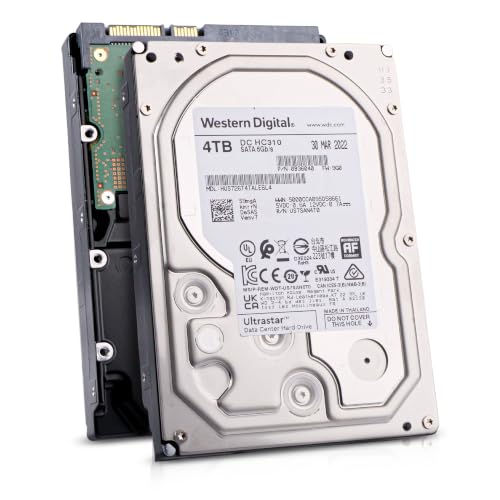
- 7200 rpm SATA 6Gb/s enterprise drive
- CMR and 24/7 operation rating
- 550TB/year workload rating
Best For: NAS, SAN, RAID, and business storage
Best High-Capacity Everyday Drive

- 10TB capacity for desktop storage
- 7200 rpm with 512 MB cache
- Includes Acronis cloning software
Best For: Desktop users needing substantial everyday storage
Best Enterprise-Oriented Value

- 216 MB/s sustained transfer rate
- Hot-plug and PowerChoice support
- Suited to RAID and surveillance
Best For: Business storage, surveillance, and backup systems
Best Maximum-Capacity WD Blue
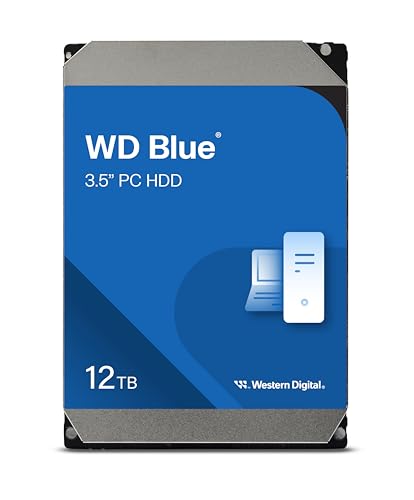
- 12TB capacity for large storage needs
- 7200 rpm with 512 MB cache
- Includes Acronis cloning software
Best For: Desktop users prioritizing maximum single-drive capacity
NAS Performance Pick
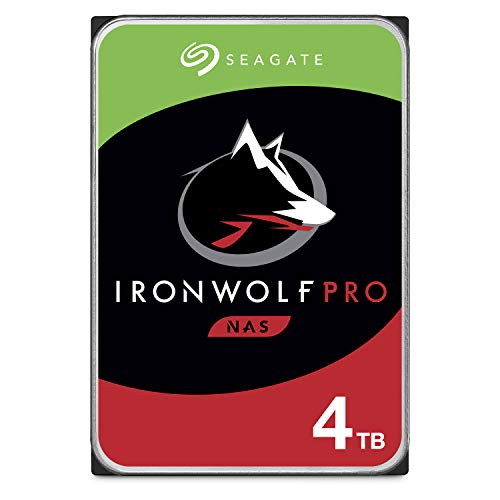
- NAS-focused design supports up to 24 bays
- Up to 214MB/s performance with 4TB capacity
- Five-year warranty and recovery services included
Best For: Multi-user NAS and RAID storage
Gaming Desktop Pick
- Built for gaming PCs and desktop performance
- 267MB/s reported read speed and 256MB cache
- Five-year limited warranty
Best For: Gaming PCs and multimedia desktops
High-Capacity NAS Pick

- 10TB capacity for small and medium NAS systems
- CMR and NASware firmware for compatibility
- Supports up to eight bays and 180TB/year workload
Best For: 24/7 business NAS storage
Best Everyday Value – Seagate BarraCuda 2TB
The Seagate BarraCuda 2TB is a practical choice when you need a dependable 7200 rpm internal hard drive for a desktop, gaming build, or everyday media storage. Its SATA 6Gb/s interface, 256MB cache, and stated read speed of up to 220MB/s provide a useful balance of capacity and performance.
Best For: General desktop use, PC gaming, music, video, and photo storage.
Pros:
- 7200 rpm spindle speed with a 256MB cache
- Versatile 2TB capacity for common PC applications
- Includes access to Seagate DiscWizard for migration and cloning
- Backed by a 2-year limited warranty
Cons:
- Mechanical storage is slower than an SSD for operating-system and application loading
- Designed for PCs and may not suit specialized enterprise workloads
For buyers seeking a straightforward 7200 rpm internal hard drive, the BarraCuda 2TB offers useful capacity, broad desktop compatibility, and practical migration support without overcomplicating the setup.
Best High-Capacity Storage – Seagate BarraCuda 8TB
The Seagate BarraCuda 8TB is built for shoppers who prioritize abundant space in a 3.5-inch SATA internal hard drive. It can accommodate large personal or business libraries, although the supplied specifications list a 5400 rpm rotational speed rather than 7200 rpm.
Best For: High-capacity desktop storage, media collections, backups, and compatible gaming-console expansion.
Pros:
- Large 8TB capacity for extensive files and media
- 256MB cache and SATA 6Gb/s interface
- Compatible with desktops and listed for use with PlayStation 5
- Includes a 2-year limited warranty and data recovery service feature
Cons:
- 5400 rpm, so it is not a 7200 rpm internal hard drive
- Frustration-Free Packaging is an anti-static bag with no cables or box
This model makes sense when capacity matters more than spindle speed. If your roundup specifically requires 7200 rpm drives, treat it as a high-capacity alternative rather than a direct match.
Best for Gaming Performance – WD_BLACK 6TB
The Western Digital WD_BLACK 6TB is a performance-focused 7200 rpm internal hard drive for gaming desktops, system builders, and creative professionals. Its 256MB cache and stated read speed of up to 267MB/s make it one of the stronger performance-oriented options in this selection.
Best For: Gaming PCs, creative workstations, and users wanting a higher-performance mechanical storage tier.
Pros:
- 7200 rpm speed with a 256MB cache
- 6TB capacity for large game and project libraries
- StableTrac and Dynamic Cache Technology are designed to support reliability and performance
- Covered by a 5-year limited warranty
Cons:
- Still a mechanical hard drive, so it will not match SSD responsiveness
- The 3.5-inch design is intended for compatible desktop installations
Among these 7200 rpm internal hard drives, the WD_BLACK is the clearest fit for performance-conscious desktop users. Its longer warranty and gaming-oriented design add appeal for a primary storage or secondary game-library drive.
Best Enterprise-Grade Option – HGST Ultrastar 4TB Renewed
The renewed HGST Ultrastar 4TB is a specialized 7200 rpm internal hard drive aimed at business, enterprise, and demanding storage environments. Its SATA 6Gb/s interface, CMR recording, 24/7 operating rating, and enterprise workload specifications make it a different proposition from mainstream desktop drives.
Best For: Enterprise storage, NAS or SAN arrays, RAID controllers, and write-intensive backup workloads.
Pros:
- Enterprise-oriented 7200 rpm design with CMR recording
- 4TB capacity and SATA 6Gb/s connectivity
- Rated for 24/7 operation with a stated 2 million-hour MTBF
- 550TB/year workload rating and dual-stage micro actuator
Cons:
- Renewed product with a comparatively short 90-day limited warranty
- Enterprise features may be unnecessary for a basic home desktop
- Supplied notes do not list a cache size consistently with the product title
This drive is best evaluated by buyers who understand enterprise storage requirements and can verify compatibility with their controller or enclosure. Its renewed status and 90-day warranty deserve particular attention before purchase.
Best High-Capacity Everyday Drive – WD Blue 10TB
For shoppers comparing 7200 rpm internal hard drives, the Western Digital WD Blue 10TB offers substantial desktop storage with a SATA 6 Gb/s interface, 512 MB cache, and a 3.5-inch form factor. It is designed for everyday computing and includes Acronis True Image WD Edition cloning software.
Best For: Desktop users who want dependable, high-capacity storage for everyday computing.
Pros:
- 10TB capacity for large desktop storage needs
- 7200 rpm speed with a 512 MB cache
- Includes Acronis True Image WD Edition cloning software
- NoTouch Ramp Load Technology
Cons:
- 3.5-inch internal design is intended for compatible computers rather than portable use
- Backed by a 2-year limited warranty
The WD Blue 10TB is a practical choice when capacity and familiar Western Digital features matter more than specialized enterprise capabilities. Confirm that your system supports a 3.5-inch SATA internal drive before buying.
Best Enterprise-Oriented Value – Seagate Enterprise 6TB
Among 7200 rpm internal hard drives, this renewed Seagate Enterprise Capacity model stands out for its business-focused specifications. It combines 6TB of storage, a 216 MB/s sustained transfer rate, hot-plug support, and a 128 MB cache in a 3.5-inch SATA design.
Best For: RAID storage, centralized surveillance, and backup or restore workloads.
Pros:
- Enterprise-oriented 7,200 rpm performance
- Listed 216 MB/s sustained transfer rate
- Supports hot-plug use and PowerChoice technology
- Designed for RAID, surveillance, and backup applications
Cons:
- Renewed product rather than new
- 6TB capacity is lower than the 10TB and 12TB alternatives here
- 3.5-inch desktop form factor is not portable
This Seagate is the more specialized option for buyers prioritizing enterprise-style features and workload suitability. Because it is renewed, review the seller warranty terms carefully; the supplied listing specifies a 5-year seller warranty.
Best Maximum-Capacity WD Blue – WD Blue 12TB
If you need one of the roomiest 7200 rpm internal hard drives for a desktop system, the Western Digital WD Blue 12TB provides the highest capacity in this roundup. It uses a 3.5-inch SATA 6 Gb/s interface, a 512 MB cache, and includes Acronis True Image WD Edition cloning software.
Best For: Personal or business desktop users who need maximum capacity from a single internal drive.
Pros:
- Largest capacity in this selection at 12TB
- 7200 rpm operation with a 512 MB cache
- Supports personal and business use
- Includes Acronis cloning software and NoTouch Ramp Load Technology
Cons:
- 3.5-inch internal format requires a compatible desktop enclosure or bay
- Comes with a 2-year limited warranty
The WD Blue 12TB is the straightforward pick when single-drive capacity is the priority. Its SATA connection and 3.5-inch form factor make it best suited to compatible desktop or PC installations.
NAS Performance Pick – Seagate IronWolf Pro 4TB
The Seagate IronWolf Pro 4TB is a purpose-built choice among 7200 rpm internal hard drives for multi-user NAS systems. Its 4TB capacity, SATA 6Gb/s interface, and reported speeds up to 214MB/s suit demanding file-sharing and RAID environments.
Best For: Up to 24-bay NAS systems, business storage, and users who value included recovery and warranty coverage.
Pros:
- Designed for NAS and RAID environments with support for up to 24 bays.
- Offers 4TB capacity and speeds up to 214MB/s.
- Includes IronWolf Health Management, a five-year limited warranty, and three years of Rescue Data Recovery Services.
Cons:
- Its NAS-focused features may be more than needed for a basic desktop.
- 4TB provides less capacity than some larger NAS drives.
Choose this model when NAS compatibility, monitoring, and data-recovery support matter as much as 7200 rpm performance.
Gaming Desktop Pick – WD Black 4TB Gaming HDD
The WD Black 4TB is a strong desktop option among 7200 rpm internal hard drives, especially for gaming and multimedia storage. It combines a SATA 6Gb/s connection with a 256MB cache and reported read speeds up to 267MB/s.
Best For: Gaming PCs, system builders, and creative users who need substantial desktop storage.
Pros:
- Designed for gamers, system builders, and creative professionals.
- Provides 4TB of storage with reported read speeds up to 267MB/s.
- StableTrac and Dynamic Cache Technology are intended to support reliability and performance.
Cons:
- Designed for desktop use rather than NAS environments.
- As a mechanical drive, it may not offer the responsiveness of an SSD.
This is a practical pick for expanding a gaming or multimedia desktop when you want 7200 rpm capacity and a five-year limited warranty.
High-Capacity NAS Pick – WD Red Plus 10TB
The WD Red Plus 10TB delivers high capacity for buyers comparing 7200 rpm internal hard drives for small or medium-business NAS systems. Its CMR recording, NASware firmware, SATA 6Gb/s interface, and reported speeds up to 260MB/s are aimed at continuous NAS operation.
Best For: Small and medium-business NAS deployments running 24/7 with up to eight bays.
Pros:
- Large 10TB capacity with support for NAS systems of up to eight bays.
- CMR design and NASware firmware are intended for NAS compatibility.
- Supports a stated workload rate of up to 180TB per year and reports speeds up to 260MB/s.
Cons:
- Its three-year limited warranty is shorter than some competing models.
- NAS-focused features may be unnecessary for simple desktop storage.
Pick the WD Red Plus when capacity and 24/7 NAS compatibility are priorities, particularly for business file storage and multi-bay systems.
How We Picked the Best 7200 Rpm Internal Hard Drives
We focused on 3.5-inch SATA drives that spin at 7200 RPM and cover the main buying scenarios: general desktop upgrades, gaming storage, large media libraries, NAS arrays, and enterprise-style workloads. We compared usable capacity, cache size, interface compatibility, intended workload, recording technology, warranty or renewal status, and the practical trade-offs of each drive type.
Because listed specifications and availability can change, verify the seller’s current details before purchasing—especially for renewed enterprise models and drives intended for RAID or NAS use.
Quick Comparison
| Use case | What to prioritize | Best capacity range |
|---|---|---|
| Everyday desktop storage | Price, compatibility, warranty | 2TB–6TB |
| Gaming and creative work | Consistent performance, cache, capacity | 4TB–10TB |
| NAS and RAID | NAS rating, workload support, CMR | 4TB–10TB |
| Large media archives | Capacity per drive and cost per terabyte | 8TB–12TB |
Key Buying Factors for 7200 Rpm Internal Hard Drives
Capacity and Cost Per Terabyte
Choose enough space for your current library plus future growth. Larger drives can reduce the number of bays required, while smaller models may be easier to replace or use in a multi-drive array. Avoid filling a drive completely; leaving free space helps maintain flexibility.
SATA Compatibility and Physical Fit
These are generally 3.5-inch SATA drives, so confirm that your desktop, workstation, NAS, or enclosure has a compatible bay, mounting hardware, SATA data connection, and available power connector. SATA 6Gb/s is backward compatible, but the actual hard-drive speed remains far below the interface’s theoretical limit.
CMR, SMR, and Workload Design
Recording technology matters for sustained writes, rebuilds, and RAID use. CMR drives are usually the safer choice for NAS arrays and heavier workloads. Desktop-oriented models can be suitable for general storage, but they may not provide the vibration tolerance, firmware features, or workload rating expected in a NAS or server.
Noise, Heat, and Reliability
7200 RPM models typically respond faster than 5400 RPM drives, but they can produce more noise, vibration, and heat. Ensure adequate airflow, particularly in compact cases and multi-drive enclosures. Check the rated workload, warranty, and return policy. For renewed drives, pay close attention to seller reputation and testing coverage.
Who Should Buy Which 7200 Rpm Internal Hard Drives?
Choose an everyday desktop model if you need affordable secondary storage for documents, photos, applications, or backups. Choose a WD Black-style performance drive for game libraries and demanding desktop workloads where higher sustained hard-drive performance is useful, while keeping an SSD for the operating system and frequently accessed programs.
Choose an IronWolf Pro or WD Red Plus model for a NAS, RAID array, or shared home-office storage; confirm compatibility with your enclosure and follow its drive recommendations. Choose a high-capacity WD Blue or enterprise-class drive for large media archives when capacity per bay matters most. Enterprise and renewed options can offer strong specifications, but they may be louder, run warmer, or carry different warranty terms than new consumer drives.