Choosing among the best laptops for music production means balancing processor performance, memory, storage, portability, and compatibility with your digital audio workstation.
We’ve selected 10 laptops spanning affordable everyday models, higher-memory Windows systems, and a renewed MacBook Pro to help producers find a practical fit for recording, arranging, mixing, and live work.
Best 10 Laptops for Music Production Picks for 2026
Powerhouse Pick

- 8-core Ryzen 7 with 32GB DDR5
- 1TB PCIe 4.0 SSD
- Upgradeable RAM and storage
Best For: Large music projects and multitasking
Mac Studio Choice

- Six-core Intel Core i7
- 16-inch Retina display
- Four Thunderbolt USB-C ports
Best For: macOS-based recording and production
Value Multitasker
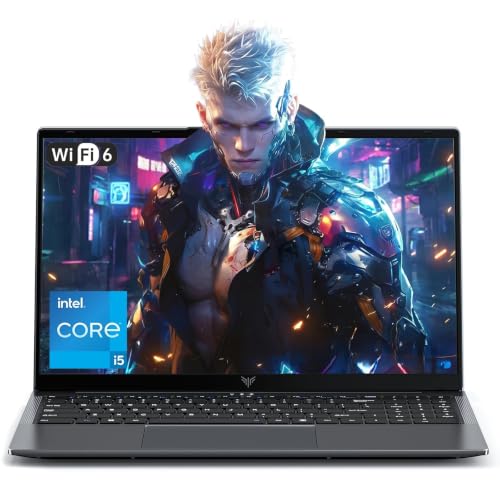
- 12-core Intel Core i5
- 24GB DDR5 RAM
- Expandable dual-M.2 storage
Best For: Budget-friendly Windows production setups
Best Overall Value

- 8-core, 16-thread Ryzen 7 processor
- 16GB RAM with fast 512GB NVMe SSD
- Wi-Fi 6, USB-C, HDMI, and multiple audio connections
Best For: Home producers and students handling larger multitasking sessions
Large-Screen Budget Pick

- 16-inch Full HD IPS display
- 256GB SSD with 8GB RAM
- USB-C, HDMI, Wi-Fi 5, and Bluetooth 5.0
Best For: Beginners who want a large workspace for simple projects
Best with Extra Features

- 16GB RAM and 512GB SSD
- Portable 15.6-inch Full HD design
- Best for lightweight music sessions
Best For: Beginners, students, and home recording
Best Large-Screen Pick
HP OmniBook 3 17.3-Inch Laptop

- Large 17.3-inch Full HD IPS display
- Four-core Ryzen processor
- 512GB NVMe SSD with modern connectivity
Best For: Home producers who want a spacious editing workspace
Best Performance Value

- Six-core, 12-thread Ryzen 5 processor
- 16GB RAM and 512GB NVMe SSD
- Broad ports including HDMI and Ethernet
Best For: Home producers needing stronger multitasking
Powerhouse Pick – NIMO Ryzen 7 Creator Laptop
If you need a capable Windows option among laptops for music production, the NIMO combines an 8-core Ryzen 7 processor, 32GB of RAM, and a 1TB SSD. That generous memory configuration should suit projects involving a DAW, plug-ins, software instruments, and other applications running together.
Best For: Producers who want substantial multitasking headroom, upgradeable storage and memory, and a large 15.6-inch display.
Pros:
- Ryzen 7 8745HS offers 8 cores and 16 threads for demanding multitasking.
- 32GB DDR5 RAM and a 1TB PCIe 4.0 SSD provide strong starting capacity.
- USB4, full-function USB-C, HDMI 2.1, and three USB-A ports support varied studio connections.
- Dual SODIMM and dual M.2 slots allow future memory and storage expansion.
Cons:
- Integrated Radeon 780M graphics are not a replacement for a dedicated GPU in graphics-heavy work.
- The 15.6-inch display is Full HD rather than a higher-resolution panel.
- Battery life varies substantially with workload, with heavy gaming listed at about 2.5 hours.
The NIMO is one of the more flexible choices here for a growing music setup. Its high memory capacity, fast SSD, and upgrade paths are especially useful if your sessions tend to expand over time.
Mac Studio Choice – Renewed 16-inch MacBook Pro
This renewed 16-inch MacBook Pro remains a practical consideration among laptops for music production if your workflow is built around macOS. Its six-core Intel Core i7, 16GB of RAM, 512GB SSD, and four Thunderbolt ports offer a solid foundation for recording, editing, and connecting compatible peripherals.
Best For: Mac-based musicians who value a large Retina display, macOS, and Thunderbolt connectivity.
Pros:
- Six-core 2.6GHz Intel Core i7 processor supports demanding software workloads.
- 16-inch 3072 x 1920 Retina display offers a spacious, detailed workspace.
- Four USB-C ports with Thunderbolt provide flexible peripheral connectivity.
- AMD Radeon Pro 5300M graphics with 4GB GDDR6 add capability for visual creative work.
Cons:
- As a late-2019 renewed model, it uses older Intel hardware.
- 16GB RAM and 512GB storage are fixed according to the supplied specifications.
- The renewed unit has a listed 90-day warranty.
This MacBook Pro makes the most sense for shoppers specifically seeking macOS and a large, high-resolution screen. Before buying, verify compatibility between your preferred music software, plug-ins, and this Intel-based Mac.
Everyday Option – HP OmniBook 3 16-inch Laptop
The HP OmniBook 3 is a lightweight, everyday Windows choice among laptops for music production. Its 512GB NVMe SSD, 16-inch 1920 x 1200 touchscreen, and Wi-Fi 6 connectivity fit basic recording, editing, and general-purpose tasks, though the 8GB onboard RAM calls for realistic expectations with large sessions.
Best For: Beginners and casual producers who need a portable laptop for lighter projects, study, and everyday computing.
Pros:
- 512GB PCIe NVMe SSD provides fast storage for software and project files.
- 16-inch 1920 x 1200 IPS touchscreen gives a roomy workspace.
- At 3.6 pounds, it is relatively easy to carry between home, school, and studio spaces.
- USB-C ports support USB Power Delivery, DisplayPort, and HP Sleep and Charge.
Cons:
- 8GB onboard LPDDR5 RAM is limiting for large arrangements and many plug-ins.
- The four-core Ryzen 5 7520U is positioned for everyday performance rather than heavy production.
- Radeon 610M graphics are intended for streaming and multitasking, not demanding visual workloads.
Choose the OmniBook 3 for portability and straightforward projects rather than extensive sample libraries or complex sessions. Its memory configuration is the main consideration for anyone planning to scale up production work.
Value Multitasker – MALLRACE Intel i5 Laptop
The MALLRACE laptop offers an appealing balance for shoppers comparing laptops for music production on a budget. Its 12-core Intel Core i5-12600H, 24GB of DDR5 memory, and 512GB SSD give it useful multitasking capacity for a Windows-based setup, while the Full HD screen keeps the design practical for school, office, and studio use.
Best For: Budget-conscious producers who want ample RAM, a strong mobile processor, and expandable storage.
Pros:
- 12-core, 16-thread Core i5-12600H reaches up to 4.5GHz.
- 24GB DDR5 RAM is well suited to running multiple applications together.
- Dual M.2 slots support storage expansion up to 4TB total.
- Wi-Fi 6, multiple USB ports, HDMI, and two USB-C ports simplify connectivity.
Cons:
- Intel Iris Xe graphics are integrated and not intended for demanding GPU work.
- The 512GB PCIe 3.0 SSD may fill quickly with large sample libraries.
- The 54.72Wh battery may offer less endurance during sustained production workloads than during lighter use.
For the money, the MALLRACE stands out for its processor and unusually generous memory allocation. Its expandable storage makes it a practical starting point for producers who expect their library and project collection to grow.
Budget Starter – Aurant Ryzen R5 Laptop
For shoppers seeking affordable laptops for music production, the Aurant offers a Ryzen R5 processor, 8GB of RAM, and a 128GB SSD in a lightweight 15.6-inch design. It can suit basic recording, editing, and music software, though the modest memory and storage favor smaller projects and careful file management.
Best For: Beginners working on simple music projects, schoolwork, and everyday computing.
Pros:
- AMD Ryzen R5 processor with 4 cores and 8 threads.
- Backlit full-size keyboard, fingerprint reader, and lightweight 3.6-pound body.
- Includes HDMI, two USB 3.0 ports, a headphone jack, and microSD support.
Cons:
- 8GB RAM may limit larger sessions with many virtual instruments or effects.
- 128GB SSD provides limited room for sample libraries and project files.
- Integrated graphics and entry-level specifications are not intended for demanding workloads.
This is a practical low-cost starting point for basic music production, but producers with extensive libraries should plan on external storage and may prefer a higher-memory model.
Best Overall Value – KAIGERR Ryzen 7 Music Laptop
The KAIGERR stands out among laptops for music production with an 8-core, 16-thread Ryzen 7 5700U, 16GB of RAM, and a 512GB NVMe SSD. That combination gives music makers more room for multitrack sessions, software instruments, and plug-ins while keeping the laptop suitable for portable work.
Best For: Home producers, students, and mobile creators running larger projects and multitasking between music applications.
Pros:
- Ryzen 7 5700U offers 8 cores, 16 threads, and boost speeds up to 4.3GHz.
- 16GB RAM and a 512GB NVMe SSD provide a strong balance for projects and applications.
- Wi-Fi 6, Bluetooth 5.2, USB 3.2, USB-C, HDMI, and a 3.5mm jack support varied setups.
Cons:
- Integrated Radeon graphics are not designed for demanding gaming or graphics work.
- The 15.6-inch display is limited to a 60Hz refresh rate.
With the strongest processor, memory, and storage combination in this group, this model is the most versatile choice for music production, especially when portability and multitasking matter.
Large-Screen Budget Pick – Exilapsire 16-Inch Laptop
The Exilapsire provides a spacious 16-inch Full HD IPS display, 8GB of RAM, and a 256GB SSD for shoppers comparing laptops for music production on a budget. Its screen can make arranging tracks and navigating software more comfortable, while the AMD A9 processor is better suited to basic projects than demanding sessions.
Best For: Beginners who prioritize a larger display for simple recording, editing, school, and office work.
Pros:
- 16-inch 1920×1080 IPS display offers a generous workspace.
- 256GB SSD provides more storage than the smallest entry-level option.
- Includes USB 3.0, USB-C, HDMI, Bluetooth 5.0, and dual-band Wi-Fi.
- 9000mAh battery and one-year limited warranty are included.
Cons:
- AMD A9-9400 has only 2 processor cores.
- 8GB RAM may be restrictive for complex arrangements and large plug-in chains.
- 256GB storage may fill quickly with sample libraries and recorded audio.
This model makes the most sense when screen size and everyday value take priority. For serious production workloads, its dual-core processor and 8GB memory make it a less capable choice than the Ryzen 7 alternative.
Best with Extra Features – 15.6-Inch FHD M3 Laptop
For shoppers seeking laptops for music production on a budget, this model offers 16GB of RAM, a 512GB SSD, and a portable 15.6-inch Full HD display. Its dual-core Intel processor is better suited to entry-level recording, basic editing, and everyday computing than demanding, track-heavy projects.
Best For: Beginners, students, and home users working with lightweight music-production sessions.
Pros:
- 16GB dual-channel RAM supports multitasking and multiple open applications.
- 512GB M.2 SATA SSD provides quick boot times and room for projects and media.
- Three USB 3.0 ports, USB-C, HDMI, and a microSD reader offer flexible connectivity.
- Lightweight design and a 38Wh battery support portable use.
Cons:
- The dual-core Intel 8100Y processor is a limited choice for large, complex sessions.
- Integrated Intel HD Graphics 615 are intended for everyday use rather than demanding creative workloads.
- The supplied notes do not specify dedicated audio-production features such as low-latency interfaces or bundled DAW software.
This is a practical entry point for simple arrangements, practice, and basic recording, especially if you value portability and memory capacity. Producers planning extensive virtual-instrument or plug-in-heavy projects should consider a stronger processor.
Best Large-Screen Pick – HP OmniBook 3 17.3-Inch Laptop
This HP OmniBook 3 is a comfortable large-screen option among laptops for music production, with a 17.3-inch Full HD IPS display and a 512GB PCIe NVMe SSD. Its four-core, eight-thread Ryzen processor can handle everyday multitasking and lighter production work, while the 8GB of onboard RAM may limit larger sessions.
Best For: Home producers who prioritize a spacious screen for arranging, editing, and general media work.
Pros:
- 17.3-inch anti-glare Full HD IPS display offers a large workspace and wide viewing angles.
- AMD Ryzen 3 processor has four cores and eight threads for responsive everyday multitasking.
- 512GB PCIe NVMe SSD supports fast storage and project loading.
- USB-C, USB-A, HDMI, Wi-Fi 6, and Bluetooth 5.4 provide broad connectivity.
Cons:
- 8GB onboard LPDDR5 RAM gives less headroom for large sample libraries and complex projects.
- Integrated Radeon 610M graphics are designed for efficient everyday entertainment rather than demanding creative graphics.
- The larger 17.3-inch chassis is less convenient for frequent portable use.
The bright spot here is the expansive display, which can make timeline editing and arranging easier. It is a reasonable fit for lighter music work, but users building large projects should look for more memory.
Best Performance Value – Lenovo V15 Ryzen 5 Laptop
For music production shoppers who need stronger multitasking, the Lenovo V15 stands out with a six-core, 12-thread Ryzen 5 5500U processor, 16GB of RAM, and a 512GB PCIe NVMe SSD. It is a well-rounded choice for recording, arranging, and running several production applications, subject to the demands of your particular software and plug-ins.
Best For: Home producers and musicians who want the strongest processing and memory combination in this group.
Pros:
- Six cores and 12 threads provide substantially more multitasking capacity than entry-level dual-core options.
- 16GB RAM supports multiple applications, browser tabs, and production workloads.
- 512GB PCIe NVMe SSD enables fast startup and data transfers.
- USB-C, USB-A, HDMI, Ethernet, Wi-Fi 6, and a headphone/microphone combo offer versatile connections.
Cons:
- Integrated AMD Radeon graphics are not intended for graphics-intensive workloads.
- The 15.6-inch LCD display provides a smaller workspace than the HP’s 17.3-inch screen.
- The supplied specifications do not mention a dedicated audio interface or bundled music-production software.
The Ryzen 5 processor and 16GB memory make this the most capable general-purpose pick here for moderate production workloads. Its conventional 15.6-inch design and broad port selection also suit a home studio setup with external peripherals.
How We Picked the Best Laptops for Music Production
We focused on the components that most directly affect music-making: CPU performance for virtual instruments and real-time effects, sufficient RAM for sample libraries, fast SSD storage, screen usability, connectivity, and overall value. We also considered whether each laptop is better suited to light beat-making, home recording, mobile production, or more demanding projects.
Because product configurations and seller support can vary, verify the current specifications, operating system, warranty, and return policy before buying. Audio interfaces, MIDI controllers, and plug-ins should also be checked for Windows or macOS compatibility.
Quick Comparison
| Best For | Recommended Type | What to Prioritize |
|---|---|---|
| Large projects and sample libraries | Higher-memory Ryzen or Core system | 16GB or more RAM, fast SSD, strong multicore CPU |
| Portable production | Compact Windows laptop or MacBook | Battery life, low weight, reliable connectivity |
| Beginners and students | Budget 15- or 16-inch laptop | At least 8GB RAM, SSD storage, upgrade potential |
| Recording and mixing at home | Midrange productivity laptop | Quiet operation, USB ports, stable performance |
Key Buying Factors for Laptops for Music Production
Processor Performance
Your CPU handles plug-ins, software instruments, track processing, and low-latency monitoring. Favor modern Ryzen 5/7 or Intel Core processors, and pay attention to sustained performance rather than advertised peak clock speed alone.
RAM and Storage
Choose 16GB of RAM when possible, especially for orchestral libraries, synthesizers, and large sessions. Eight gigabytes can work for basic projects but leaves less headroom. An SSD is essential for faster startup and project loading; 512GB is a practical minimum, while sample-heavy producers may need external storage.
Ports, Display, and Compatibility
USB-A and USB-C ports make it easier to connect an audio interface, MIDI keyboard, external drive, or controller. A clear 15- or 16-inch display is comfortable for arranging, while a smaller laptop is easier to transport. Confirm that your DAW, plug-ins, interface drivers, and preferred accessories support the chosen operating system.
Noise, Battery, and Build
Fan noise can leak into microphone recordings, so quieter cooling matters for vocalists and acoustic instruments. Battery life and a sturdy chassis are valuable for mobile sessions, though demanding production workloads often require mains power.
Who Should Buy Which Laptops for Music Production?
Buy a higher-memory Ryzen or Intel model if you regularly use many tracks, effects, or software instruments. Choose a renewed MacBook Pro if you specifically prefer macOS and your required software supports its Intel platform. Budget laptops are suitable for learning a DAW, recording vocals or instruments, and producing lighter projects, but confirm that RAM and storage meet your expected workload.
For the most flexible long-term setup, prioritize 16GB RAM, a modern multicore processor, a 512GB-or-larger SSD, and enough ports for your interface and accessories. Those specifications provide a stronger foundation than gaming-focused graphics hardware, which is rarely the deciding factor for music production.