Managing several case fans should not require reaching behind your PC or opening a software dashboard every time you want to adjust lighting or airflow. The best PC fan controllers with remote controls centralize connections and make everyday adjustments more convenient.
This roundup compares 10 hubs and controllers by port capacity, fan and lighting compatibility, power delivery, mounting options, and remote-control practicality, so you can choose the right fit for your build.
Best 10 PC Fan Controllers with Remote Controls Picks for 2026
Best Budget ARGB Remote
Compact 5V ARGB Controller Kit
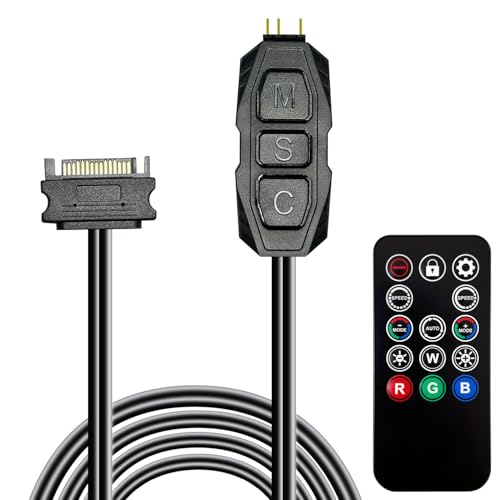
- 215 dynamic and four static lighting modes
- SATA powered with tool-free installation
- Includes a 14-key remote
Best For: Basic 5V 3-pin ARGB lighting control
Best 10-Port Hub
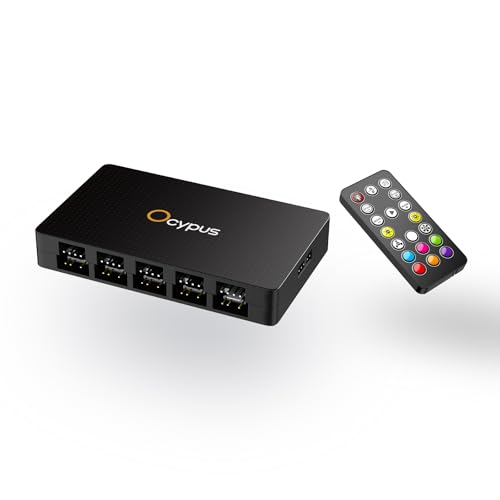
- 10 PWM fan and 10 ARGB output ports
- 19-key remote for lighting adjustments
- Individual ARGB overload protection
Best For: Multi-fan desktop builds needing centralized control
Best Cable Management
Thermalright ARGB and Fan HUB X12

- Supports up to 12 PWM and ARGB groups
- Combines fan and lighting connections
- Includes an infrared lighting remote
Best For: Large builds with limited motherboard headers
Best High-Capacity Hub
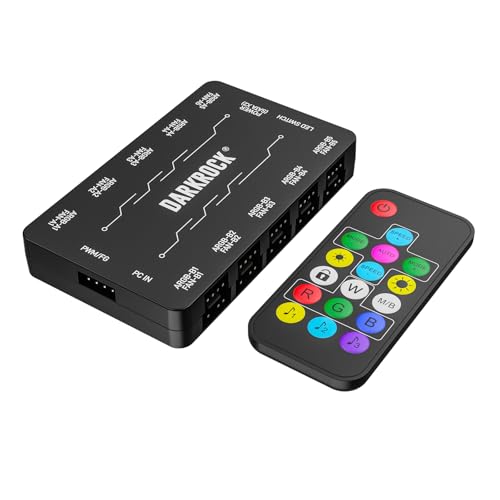
- Supports 10 PWM and 10 ARGB fans
- Remote controls speed and lighting
- Dual SATA powered with magnetic mounting
Best For: High-device-count enthusiast PC cases
Best Magnetic 9-Fan Hub
ShakingTank 9-Port ARGB PWM Controller

- Connects up to nine PWM fans
- SATA-powered with magnetic mounting
- Supports 5V 3-pin ARGB devices
Best For: Compact builds needing organized fan and ARGB expansion
Best 12-Port Lighting Remote Hub
Thermalright ARGB and Fan HUB X12 IR

- Offers 12 PWM and ARGB connections
- Includes a lighting remote
- Uses magnetic installation
Best For: High-fan builds needing expanded connection capacity
Best Remote 9-Fan Controller
PWM & ARGB Fan Hub with Remote
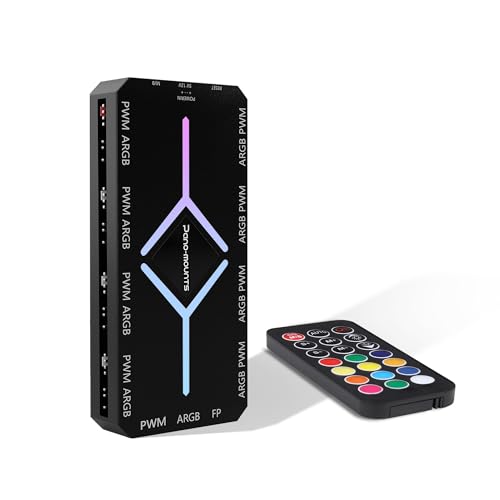
- Controls nine fans and lighting remotely
- Includes nine PWM and ARGB ports
- SATA-powered with magnetic mounting
Best For: Users wanting centralized remote speed and ARGB control
Best for Simple ARGB Expansion
Thermalright X8 IR Fan and ARGB Hub

- Eight PWM and ARGB connection groups
- Magnetic adhesive mounting
- Remote ARGB lighting control
Best For: Tidier builds needing more 5V ARGB and fan ports
Best for Integrated Control

- 10 PWM and 10 ARGB ports
- Remote, chassis, and motherboard control
- Magnetic tool-free mounting
Best For: Large RGB builds needing centralized control
Best for Heavy Fan Loads

- Supports up to 10 fan groups
- PWM adjustment and speed reading
- Dual SATA power input
Best For: Multi-fan builds needing remote control and stable power
Best Budget ARGB Remote – Compact 5V ARGB Controller Kit
This compact kit is a practical starting point for shoppers seeking pc fan controllers with remote controls and 5V 3-pin ARGB components. It uses SATA power, installs without tools, and provides numerous lighting modes for compatible fans, strips, coolers, and other ARGB accessories.
Best For: Basic 5V 3-pin ARGB lighting control when fan-speed management is not required.
Pros:
- Includes 215 dynamic modes and four static color options.
- Uses SATA power and supports PSU models with a SATA connector.
- Compact design is easy to hide inside a case.
- Includes a 14-key remote and a 12-month warranty.
Cons:
- Supports 5V 3-pin ARGB, not 12V 4-pin RGB.
- Focuses on lighting control rather than PWM fan-speed control.
Choose this model if your priority is straightforward remote-controlled ARGB lighting in a small package. Confirm your components use the required 5V 3-pin connection before buying.
Best 10-Port Hub – Ocypus Delta EH10 PRO Fan Hub
The Ocypus Delta EH10 PRO is a strong choice among pc fan controllers with remote controls for builds needing both fan expansion and ARGB management. It provides 10 PWM fan ports, 10 ARGB outputs, SATA power, magnetic mounting, and protection for individual ARGB ports.
Best For: Larger desktop builds that need centralized 4-pin PWM fan and 5V 3-pin ARGB connections.
Pros:
- Offers 10 PWM fan ports and 10 ARGB output ports.
- 19-key remote adjusts lighting, brightness, speed, modes, and power.
- Individual ARGB short-circuit and overload protection helps isolate faults.
- Magnetic mounting and a compact enclosure simplify installation.
Cons:
- Requires a motherboard with 5V 3-pin ARGB support.
- Does not support 12V 4-pin RGB.
- PWM speed sensing is read from the white FAN 1 port.
This hub offers broad expansion and useful safety features, making it well suited to multi-fan systems. Carefully match the 5V 3-pin ARGB and 4-pin PWM connectors before installation.
Best Cable Management – Thermalright ARGB and Fan HUB X12
The Thermalright HUB X12 is designed for shoppers comparing pc fan controllers with remote controls that also help organize wiring. Its 12-group layout supports 4-pin PWM fans and 5V 3-pin ARGB devices, while SATA power and motherboard connections provide the operating setup.
Best For: Builds with many compatible fans or lighting devices and limited motherboard headers.
Pros:
- Supports up to 12 groups of PWM fans and ARGB devices.
- Helps consolidate fan power and lighting connections for cleaner cable management.
- Synchronizes PWM fan speed and ARGB lighting through compatible motherboard connections.
- Includes an infrared remote for lighting color control.
Cons:
- Does not support 12V 4-pin RGB devices.
- Only the fan connected to the red interface reports speed.
- The supplied details emphasize lighting control rather than remote fan-speed adjustment.
This is a sensible option when header expansion and tidier routing matter more than advanced remote fan-speed controls. Verify both the 5V ARGB and 4-pin PWM requirements before connecting components.
Best High-Capacity Hub – DARKROCK 20-Port PC Fan Hub
The DARKROCK 20-Port hub stands out among pc fan controllers with remote controls for its split 10-port design: up to 10 4-pin PWM fans and 10 5V 3-pin ARGB fans. Dual SATA power, magnetic mounting, and remote speed and lighting control make it suited to high-device-count cases.
Best For: Enthusiast cases using many PWM fans and 5V 3-pin ARGB fans.
Pros:
- Controls up to 10 PWM fans and 10 ARGB fans.
- Remote control adjusts PWM fan speed and ARGB lighting.
- Dual SATA power is designed for stable operation.
- Magnetic back simplifies attachment inside the case.
Cons:
- Does not support 12V RGB components.
- Requires compatible 4-pin PWM and 5V 3-pin ARGB connections.
- Its high port count may be unnecessary for smaller builds.
For a crowded case, the DARKROCK combines substantial port capacity with convenient remote access to both cooling and lighting settings. Check connector standards and available SATA power connections before installation.
Best Magnetic 9-Fan Hub – ShakingTank 9-Port ARGB PWM Controller
If you need pc fan controllers with remote controls for a compact desktop build, the ShakingTank hub provides nine fan connections, SATA power, PWM support, and 5V 3-pin ARGB compatibility. Its magnetic backing helps keep installation and cable routing tidy.
Best For: Builders who need a magnetic 9-port hub for standard PWM fans and 5V 3-pin ARGB devices.
Pros:
- Supports up to nine 4-pin PWM fans with synchronized ARGB lighting.
- SATA power helps provide stable operation without overloading the motherboard.
- Magnetic installation and a compact metal housing simplify placement and cable management.
Cons:
- The motherboard’s 12V 4-pin connection is required for PWM control.
- The controller is designed for 5V 3-pin ARGB devices, not 12V 4-pin RGB devices.
This is a practical choice when expansion, tidy installation, and standard PWM control matter more than a standalone remote interface.
Best 12-Port Lighting Remote Hub – Thermalright ARGB and Fan HUB X12 IR
The Thermalright X12 IR is aimed at builders comparing pc fan controllers with remote controls and needing many connection points. It accepts up to 12 fan and ARGB connections, includes a lighting remote, and uses a soft magnetic adhesive backing for installation.
Best For: Large fan setups that need expanded PWM and 5V 3-pin ARGB connectivity with remote lighting control.
Pros:
- Provides 12 4-pin PWM and 3-pin ARGB interface connections.
- Includes a remote control for lighting color adjustments.
- Magnetic backing and a compact design help keep internal cabling organized.
Cons:
- SATA cable is not included and must be purchased separately.
- 12V 4-pin RGB devices are not supported.
- The supplied notes state that this hub does not support fan-speed control or RGB-lighting adjustment.
Verify the listed control limitations and your cable requirements before buying; its main strength is expanding connections and simplifying lighting access in a high-fan build.
Best Remote 9-Fan Controller – PWM & ARGB Fan Hub with Remote
For shoppers seeking pc fan controllers with remote controls, this 9-port PWM and ARGB hub combines remote operation, SATA power, and magnetic mounting. It provides nine PWM ports and nine 5V ARGB ports, with included cables for connecting the hub to a compatible setup.
Best For: PC builders who want centralized remote fan-speed and addressable-RGB control for up to nine fans.
Pros:
- Simultaneously manages up to nine fans’ speed and lighting through the remote.
- Includes nine PWM and nine ARGB ports for broad connection capacity.
- SATA power, magnetic mounting, and included signal cables support a cleaner installation.
Cons:
- Designed for 5V 3-pin addressable fans, so compatibility should be checked before purchase.
- The product details list a 1-year manufacturer warranty, while the bullet notes mention two years; confirm coverage with the seller.
This is the most feature-focused option here for buyers who specifically want remote access to both fan speed and ARGB lighting in a nine-fan setup.
Best for Simple ARGB Expansion – Thermalright X8 IR Fan and ARGB Hub
If you need pc fan controllers with remote controls mainly for tidier wiring and basic lighting management, the Thermalright X8 IR is a compact option. It provides eight 4-pin PWM fan connections and eight 3-pin 5V ARGB connections, with SATA power and a supplied IR remote for lighting adjustments.
Best For: Builders who need to expand ARGB and PWM connections while keeping cables organized.
Pros:
- Supports up to eight PWM fans and ARGB devices.
- Includes magnetic adhesive mounting for flexible installation.
- Remote control provides convenient ARGB lighting adjustments.
Cons:
- Does not provide fan-speed control or lighting adjustment through the hub itself.
- Does not support 12V 4-pin RGB devices.
- Only the fan connected to the red port is recognized for speed reading.
This hub is best viewed as an interface expander and cable-management aid rather than a full fan-speed controller. Confirm that your components use 5V 3-pin ARGB before buying.
Best for Integrated Control – 10-Port ARGB and PWM Fan Hub
Among pc fan controllers with remote controls, this 10-port hub stands out for combining remote, chassis-button, and motherboard-synchronization options. It supports up to 10 PWM fans and 10 5V ARGB devices, with SATA power and a magnetic base for tool-free mounting.
Best For: RGB-focused builds that need centralized fan and lighting management with multiple control methods.
Pros:
- Provides 10 PWM ports and 10 5V ARGB ports.
- Supports remote, chassis-key, and motherboard-sync control.
- Magnetic mounting simplifies installation and repositioning.
Cons:
- Requires careful alignment with the 5V mark when connecting ARGB plugs.
- 12V 4-pin RGB devices are not supported.
- The PWM function requires the red PWM port to be connected first.
Its broad control options make it a flexible choice for larger RGB systems. The safety and connection instructions matter, so check every ARGB plug before powering the hub.
Best for Heavy Fan Loads – 10-Port RF ARGB PWM Hub
For pc fan controllers with remote controls and a larger multi-fan setup, this ARGB PWM hub supports up to 10 case-fan groups. Its RF remote, magnetic mounting, dual SATA power input, and PWM speed adjustment make it suited to builds that need both lighting and fan control.
Best For: Users running many ARGB fans who want remote adjustments and added power stability.
Pros:
- Connects up to 10 groups of ARGB case fans.
- Supports PWM speed adjustment and fan-speed reading.
- Dual SATA inputs are designed to provide stable power under full load.
- Includes magnetic mounting and an RF remote.
Cons:
- Uses a dual-SATA power connection, requiring two available SATA power leads.
- Product details list a 12V voltage while the fan connector specification distinguishes 5V 3-pin ARGB and 12V 4-pin PWM connections; verify component requirements carefully.
- Its larger feature set may be unnecessary for smaller builds.
This is the strongest fit for a high-device-count system where remote access, PWM adjustment, and power delivery are priorities. Review the connector layout and motherboard-sync requirements before installation.
How We Picked These PC Fan Controllers with Remote Controls
We focused on controllers that combine fan management with convenient remote operation. Key considerations included the number of supported fan ports, compatibility with 4-pin PWM fans and 3-pin 5V ARGB lighting, SATA power input, motherboard-sync support, remote type, mounting design, and suitability for larger multi-fan systems.
Port count matters, but it is not the only measure of value. A well-matched controller should provide enough connections without creating unnecessary cable clutter or exceeding the practical limits of your motherboard, power supply, or case layout.
Quick Comparison
| Feature | What to look for |
|---|---|
| Fan capacity | Choose 8, 9, 10, 12, or 20 ports according to your total fan count and future upgrades. |
| Fan standard | 4-pin PWM support enables motherboard-based speed control; verify compatibility with 3-pin DC fans. |
| Lighting standard | 5V 3-pin ARGB is not interchangeable with 12V 4-pin RGB. |
| Power | SATA-powered hubs are better suited to multiple fans and illuminated accessories. |
| Control method | IR remotes need line of sight, while RF remotes generally offer more flexible positioning. |
Key Buying Factors for PC Fan Controllers with Remote Controls
Port Count and Fan Control
Count every case, radiator, and exhaust fan before buying. A controller with spare ports can simplify future upgrades, while an oversized hub may be unnecessary for a compact build. Confirm whether all ports mirror one PWM signal or offer independent control; many hubs synchronize connected fans rather than controlling each one separately.
ARGB Compatibility
Check connector voltage and pin layout carefully. Most products in this category target 5V 3-pin ARGB devices, but a 12V 4-pin RGB accessory should not be connected to a 5V ARGB header. If motherboard synchronization matters, confirm that the hub includes the required sync connection and supports your motherboard ecosystem.
Remote Range and Installation
IR remotes work well when the receiver is visible from your seating position. RF models are usually more forgiving when the controller is hidden inside a case. Magnetic mounting can make installation easier, but check clearance around the rear panel, drive bays, and cable routing.
Power and Cable Management
SATA power reduces the load on a single motherboard header, but it does not eliminate the need to respect fan specifications and total system power limits. Look for a hub with a sensible cable layout and enough lead length to reach your fan positions cleanly.
Who Should Buy Which PC Fan Controllers with Remote Controls?
Choose a compact 8- or 9-port hub for a modest gaming PC with a few case fans and ARGB accessories. Ten-port models are a practical middle ground for most ATX builds. Twelve-port controllers suit large cases, multiple radiators, or planned expansion, while a 20-port hub is best reserved for unusually complex builds with many synchronized fans.
Prioritize motherboard-sync support if you want software-based profiles alongside remote adjustments. Choose a simple remote-focused hub if convenience and independent lighting changes matter more than advanced software control. Before ordering, verify every connector type and measure the intended mounting area—those two checks prevent the most common installation problems.