The best RGB gaming mouse pads do more than add color to your desk. They provide a consistent tracking surface, protect your workspace, and can make a gaming setup feel more cohesive.
This roundup compares 10 options across extended desk mats, hard surfaces, ergonomic designs, wireless charging, and customizable lighting so you can choose based on how you actually play and work.
Best 10 RGB Gaming Mouse Pads Picks for 2026
Best All-Around Value
KTRIO RGB Large Gaming Mouse Pad

- 12 RGB modes with static and dynamic effects
- Micro-weave surface with precise stopping control
- Stitched edges, water resistance, and non-slip backing
Best For: Extended gaming and work setups seeking practical RGB features
Best Hard-Surface Pick
Razer Firefly Hard V2 RGB Gaming Mousepad

- Razer Chroma supports 16.8 million colors
- Micro-textured hard surface suits speed and control
- Built-in cable manager and non-slip base
Best For: Compact Razer-centered gaming stations
Best Lighting Variety
BladeHawks RGB Gaming Mouse Pad
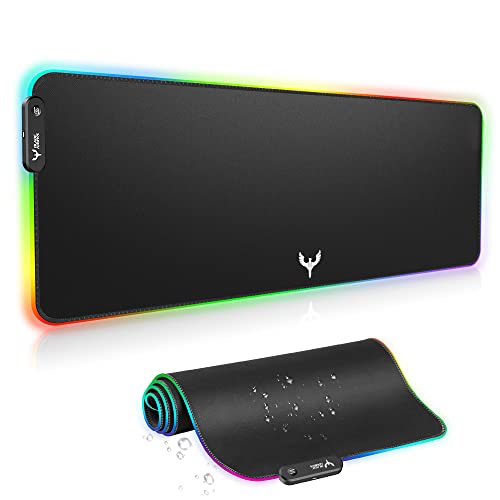
- 14 static and dynamic lighting modes
- Extended 31.5-by-12-inch keyboard coverage
- Waterproof surface and driver-free USB setup
Best For: Large desks needing simple, varied RGB lighting
Best for Chroma Ecosystems
Razer Goliathus Extended Chroma
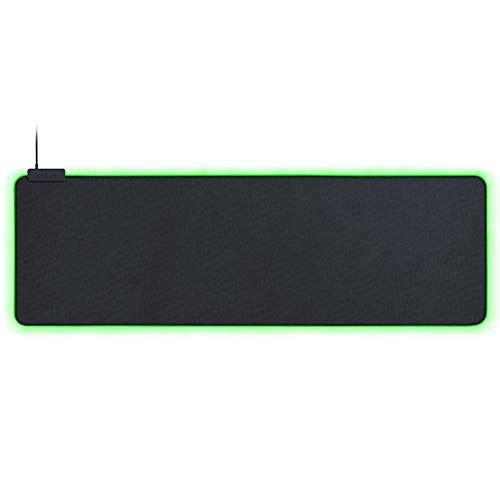
- Chroma RGB with 16.8 million colors
- Synchronizes with games and compatible devices
- Soft extended cloth surface for tactile control
Best For: Razer-equipped setups with spacious desks
Best Ergonomic Pick
Gimars RGB Mouse Pad with Wrist Rest

- 10 RGB modes with memory function
- Memory foam wrist support
- Smooth surface with non-slip base
Best For: Gamers and desk users seeking integrated wrist comfort
Best Extended Surface
Corsair MM700 RGB Gaming Mouse Pad
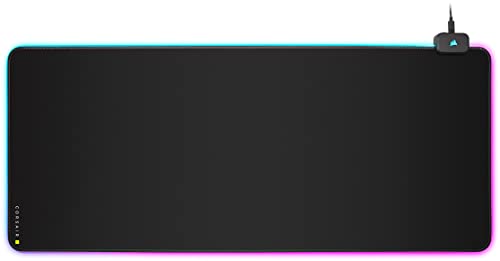
- 36.6 x 15.8-inch cloth surface
- Three-zone RGB with iCUE support
- Built-in two-port USB hub
Best For: Full-size gaming desks and peripheral-heavy setups
Best Wireless-Charging Mat
Gimars RGB Gaming Mouse Pad with Qi Charging
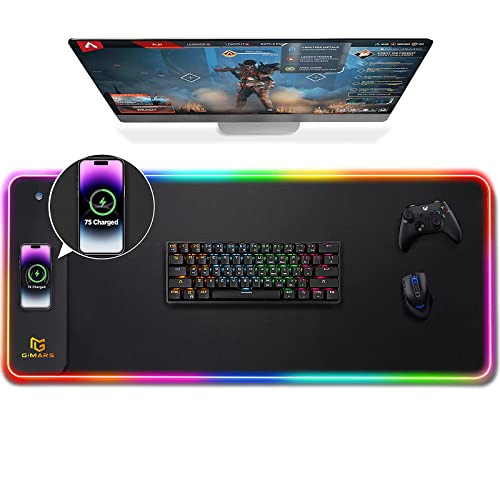
- 15W Qi wireless charging platform
- 800 x 300 mm extended desk mat
- Water-resistant surface with 10 RGB modes
Best For: Users wanting RGB desk coverage and phone charging
Best Overall
TIDALSOIL Extended RGB Desk Mat

- 12 dynamic and static RGB modes
- Extended 31.5-by-11.8-inch coverage
- Non-slip base with stitched edges
Best For: Gamers wanting a straightforward full-desk RGB mat
Best Budget Pick

- 13 selectable RGB lighting modes
- Large keyboard-and-mouse surface
- USB plug-and-play design
Best For: Value-focused gamers seeking colorful desk lighting
Best Feature-Rich Option

- Dual wireless charging areas
- Foldable phone stand and RGB lighting
- Water-resistant 31.5-by-15.8-inch surface
Best For: Streaming and gaming desks that need charging and phone storage
Best All-Around Value – KTRIO RGB Large Gaming Mouse Pad
If you want broad desk coverage without an overly complicated setup, the KTRIO is a practical choice among RGB gaming mouse pads. Its 31.5-by-11.8-inch layout accommodates a keyboard and mouse, while the micro-weave surface balances smooth movement with controlled stopping.
Best For: Gamers and home-office users who want an extended RGB pad with durable construction and simple controls.
Pros:
- Offers 12 lighting modes, including static colors and dynamic effects.
- Stitched edges help resist fraying, and the surface is water-resistant.
- Non-slip rubber backing and a micro-weave surface support stable, precise tracking.
Cons:
- The lighting requires a wired connection and button control rather than software customization.
- Its extended footprint may be too large for compact desks.
The KTRIO stands out for combining useful desk coverage, reinforced edges, spill resistance, and a straightforward RGB system. It is a sensible pick when durability and everyday versatility matter more than advanced lighting integration.
Best Hard-Surface Pick – Razer Firefly Hard V2 RGB Gaming Mousepad
The Razer Firefly Hard V2 is a compact, feature-focused option for shoppers comparing RGB gaming mouse pads. Its micro-textured hard surface is calibrated for mouse sensors and supports both fast and controlled play, while Razer Chroma adds extensive lighting customization.
Best For: Razer users who want a hard pad with Chroma synchronization and built-in cable organization.
Pros:
- Supports 16.8 million colors through customizable Razer Chroma lighting.
- Micro-textured surface is designed for precise tracking and flexible playstyles.
- Built-in cable management helps keep the mouse cable organized.
- Natural-foam rubber base helps prevent slipping.
Cons:
- The 15.2-by-12-inch size provides less keyboard coverage than extended pads.
- Its hard surface may be less cushioned than cloth alternatives.
Choose the Firefly Hard V2 if lighting ecosystem support and a firm, responsive surface are priorities. It is less suited to users who need a full keyboard-and-mouse mat, but its compact design and cable manager are useful for focused gaming stations.
Best Lighting Variety – BladeHawks RGB Gaming Mouse Pad
The BladeHawks offers generous keyboard-and-mouse coverage in a 31.5-by-12-inch format. Among RGB gaming mouse pads, it is especially appealing if you want many lighting presets, simple USB plug-and-play operation, and a surface designed to handle occasional spills.
Best For: Gamers who want an affordable extended pad with numerous lighting modes and easy physical controls.
Pros:
- Provides 14 lighting modes, with power-off memory for the last selected mode.
- Micro-textured cloth supports smooth movement and precise control.
- Waterproof surface and natural-rubber backing add everyday practicality.
- USB operation requires no driver installation.
Cons:
- Lighting adjustments are handled through a single button rather than software.
- The large extended size requires adequate desk space.
The BladeHawks is a straightforward extended mat with more lighting presets than many basic RGB options. Its waterproof surface, no-driver setup, and keyboard coverage make it a practical choice for users who value convenience over ecosystem-level RGB controls.
Best for Chroma Ecosystems – Razer Goliathus Extended Chroma
The Razer Goliathus Extended Chroma is designed for users who want an immersive, coordinated lighting setup. Its 36.3-by-11.6-inch extended format covers a keyboard and mouse, while the soft micro-textured cloth surface emphasizes tactile feedback and precision.
Best For: Gamers already using Razer Chroma devices who want synchronized lighting across a wide cloth mat.
Pros:
- Offers Chroma RGB with 16.8 million colors and dynamic effects.
- Can synchronize with compatible games, Razer hardware, Philips Hue, and partner devices.
- Soft micro-textured cloth provides tactile control for fast-paced gaming.
- Natural-foam rubber base helps keep the extended mat in place.
Cons:
- The 36.3-inch width needs a spacious desk.
- Advanced lighting features are most valuable within a compatible Chroma setup.
The Goliathus Extended Chroma is a strong match for buyers prioritizing ecosystem integration and a soft, precise playing surface. Its broad layout works well for full-size peripherals, provided your desk has enough room.
Best Ergonomic Pick – Gimars RGB Mouse Pad with Wrist Rest
For shoppers comparing rgb gaming mouse pads, the Gimars combines a compact extra-large surface with built-in wrist support. Its 12 x 10-inch layout provides room for controlled mouse movement while keeping the setup practical for gaming, work, or study.
Best For: Gamers and desk users who want RGB lighting with integrated wrist comfort.
Pros:
- Offers 10 lighting modes, including seven solid colors and three breathing effects.
- Slow-rebound memory foam supports the wrist during extended sessions.
- Ultra-smooth Lycra surface and textured rubber base support precise, stable tracking.
- Detachable 4.9-inch USB cable makes storage and transport easier.
Cons:
- The 12 x 10-inch surface is smaller than an extended desk mat.
- Lighting control is handled through the pad rather than software customization.
The Gimars is a sensible choice when wrist support matters as much as RGB styling. Its stitched light bar, 4 mm construction, and non-slip base make it a well-rounded option for everyday gaming and office use.
Best Extended Surface – Corsair MM700 RGB Gaming Mouse Pad
The Corsair MM700 stands out among rgb gaming mouse pads for its expansive 36.6 x 15.8-inch cloth surface. It is designed to cover the main gaming area, leaving room for a keyboard, mouse, and additional desk accessories.
Best For: Gamers who want a full-size RGB desk mat with onboard controls and extra USB connectivity.
Pros:
- Large cloth surface accommodates a keyboard, mouse, and more.
- Three-zone 360-degree RGB lighting can be controlled onboard or through CORSAIR iCUE software.
- Two-port USB hub provides convenient connections for peripherals.
- Thick rubber construction helps smooth uneven desktop surfaces.
Cons:
- Its extended dimensions require substantial desk space.
- The feature set may be more than needed for shoppers seeking a compact mouse pad.
Choose the MM700 when desk coverage and ecosystem features take priority. Its twelve onboard lighting profiles and USB hub add convenience, while the broad cloth surface supports low-sensitivity mouse movement and complete desktop setups.
Best Wireless-Charging Mat – Gimars RGB Gaming Mouse Pad with Qi Charging
Among rgb gaming mouse pads, this Gimars model adds a 15W Qi wireless charging platform to an 800 x 300 mm desk mat. The extended surface covers a keyboard and mouse, while its micro-textured fabric is designed for smooth tracking and easier spill cleanup.
Best For: Gamers and office users who want a wide RGB desk mat with Qi wireless charging.
Pros:
- Built-in 15W Qi charging supports compatible phones and devices.
- Raised charging platform helps with device positioning and includes charging-status indicators.
- Ten RGB modes include seven static colors and three dynamic effects.
- Water-resistant surface, non-slip rubber base, Type-C interface, and reinforced edging add practical convenience.
Cons:
- Power adapter is not included, and fast charging requires a compatible adapter.
- Wireless charging works only with Qi-compatible devices.
- The 31.5-inch width requires a suitably sized desk.
This model is a strong fit for multitaskers who want lighting, desk coverage, and phone charging in one accessory. Its 4 mm profile keeps keyboard placement relatively level, while the waterproof fabric and reinforced edge support everyday use.
Best Overall – TIDALSOIL Extended RGB Desk Mat
The TIDALSOIL is a practical choice for shoppers seeking rgb gaming mouse pads with full keyboard-and-mouse coverage. Its 31.5-by-11.8-inch layout, smooth cloth surface, non-slip rubber base, and 12 lighting modes suit both gaming and everyday desk work.
Best For: Gamers and home-office users who want an extended RGB mat with simple plug-and-play controls.
Pros:
- Offers 12 RGB modes, including dynamic and static options.
- Provides room for a full-size keyboard and mouse.
- Includes edge stitching, a grippy rubber base, and a lighting memory function.
- Uses USB plug-and-play connectivity without software or drivers.
Cons:
- Its 31.5-by-11.8-inch footprint may not suit smaller desks.
- Lighting control is handled through the touch button rather than software.
With its balanced feature set and durable construction, the TIDALSOIL is a strong all-around option for an illuminated extended desk mat.
Best Budget Pick – 13-Mode RGB Gaming Mouse Pad
This oversized RGB gaming mouse pad focuses on the essentials: a broad 31.5-by-11.8-inch surface, smooth tracking, and 13 selectable lighting modes. USB plug-and-play operation keeps setup simple for gaming desks and mechanical keyboard setups.
Best For: Budget-minded gamers who want colorful lighting and extended keyboard-and-mouse coverage without installing drivers.
Pros:
- Includes 13 lighting modes with seven static and six flashing effects.
- Offers a smooth surface designed for controlled mouse movement.
- Uses a non-slip rubber base for added desk stability.
- USB powered with touch-button lighting controls and no required drivers.
Cons:
- The supplied details list conflicting size information in addition to the 31.5-by-11.8-inch description.
- No warranty is specified in the supplied product details.
This model is a sensible value option when lighting variety and basic desk coverage matter more than advanced customization features.
Best Feature-Rich Option – Miroddi Charging RGB Desk Mat
The Miroddi stands apart from typical rgb gaming mouse pads by combining an extended 31.5-by-15.8-inch mat with dual wireless charging and a foldable phone stand. Its micro-weave surface, water resistance, stitched edges, and adjustable RGB lighting make it useful for gaming, streaming, and office work.
Best For: Streamers, multitaskers, and gamers who want charging, phone viewing, and desk protection in one setup.
Pros:
- Provides wireless charging up to 15W for compatible phones and up to 5W for compatible earbuds.
- Includes a foldable phone stand for calls, messages, tutorials, and streaming.
- Offers 11 lighting colors and four lighting modes.
- Features a water-resistant surface, non-slip rubber base, and stitched edges.
Cons:
- Wireless charging speed depends on device compatibility, case, alignment, and power input.
- Its 31.5-by-15.8-inch size and 1.11 kg weight require more desk space.
- The supplied color listing indicates that an adapter is not included.
If your desk needs more than a mouse surface, the Miroddi adds practical charging and phone-storage features while retaining a broad RGB-lit workspace.
How We Picked the Best RGB Gaming Mouse Pads
We focused on the features that make a mouse pad useful beyond its lighting: surface size, material, tracking consistency, edge construction, base grip, control layout, and added functions. The selection includes compact and extended designs, soft cloth and hard surfaces, and models with extras such as wrist support, wireless charging, phone stands, and multiple lighting modes.
Because RGB performance can vary by model, consider whether you want simple preset effects or software-controlled customization. We also gave attention to desk compatibility, since an extended mat needs enough room for your keyboard, mouse, and cable layout.
Quick Comparison
| Best For | Look For |
|---|---|
| Full-size gaming desk coverage | Extended mats around 31.5 inches wide |
| Precise, consistent movement | Hard or smooth cloth surfaces |
| Comfort during long sessions | Soft cloth construction or wrist support |
| Desk customization | Multiple lighting modes and software control |
| Reduced cable clutter | Integrated wireless charging |
Key Buying Factors for RGB Gaming Mouse Pads
Size and Desk Fit
Measure the usable area before choosing an extended pad. Large formats can hold both keyboard and mouse, but they may interfere with monitor stands, speakers, drawers, or desk edges. A smaller model is easier to place on crowded workstations.
Surface and Tracking
Cloth surfaces generally offer a softer feel and controlled movement, while hard pads tend to glide quickly and clean easily. Either can work well for gaming; prioritize a consistent surface that matches your sensitivity and preferred mouse skates.
Base, Edges, and Lighting
A non-slip rubber base helps prevent drift during fast movements. Look for stitched or reinforced edges if you expect frequent use. Check how the RGB strip is powered and controlled, and leave room for the lighting cable or control module.
Extra Features
Wireless charging, wrist rests, phone stands, and USB pass-throughs can be useful, but they may increase size, price, or cable requirements. Buy these features only if they solve a real part of your setup.
Who Should Buy Which RGB Gaming Mouse Pads?
Choose an extended cloth mat if you want keyboard coverage and a comfortable everyday surface. A hard RGB pad is a better fit for players who prefer fast gliding and easy cleanup. If wrist comfort is a priority, consider a model with built-in support or pair a standard pad with a separate ergonomic rest.
Wireless-charging models suit users who keep a compatible phone or accessory on the desk, while software-controlled lighting is best for people who want their mouse pad synchronized with other peripherals. For a simple visual upgrade, a dependable large mat with preset lighting modes is usually the most practical choice.