Low-sensitivity gaming demands more room for broad, controlled swipes. A cramped or inconsistent pad can interrupt aim, while the right surface gives your mouse predictable tracking from edge to edge.
We selected 10 gaming mouse pads for low sensitivity across cloth, hard, glass, large, and XL formats. The list includes practical everyday options as well as speed-focused surfaces for competitive play.
Best 10 Gaming Mouse Pads for Low Sensitivity Picks for 2026
Best Overall
SteelSeries QcK+ Gaming Mouse Pad

- 17.72-by-15.75-inch surface for wide swipes
- Non-slip rubber construction
- Slim 2mm profile
Best For: Low-sensitivity players wanting a spacious, lightweight pad
Best Portable Option

- Ultra-slim 1.5mm portable design
- Fine micro-texture for precise tracking
- Anti-slip base and stitched frame
Best For: Traveling gamers and laptop users
Best for Low-DPI Control
Legion Control Gaming Mouse Pad L

- Optimized for low-DPI tracking
- 450-by-400mm control surface
- Skid-proof base with reinforced edges
Best For: Competitive players seeking stable, precise control
Best Extended Desk Mat

- Extra-large 31.5-by-11.8-inch layout
- Low-friction fabric surface
- Non-slip base with double-stitched edges
Best For: Keyboard-and-mouse setups needing extended desk coverage
Balanced Cloth Control
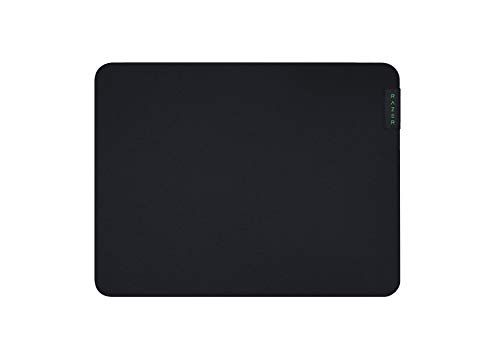
- Micro-weave cloth supports fluid swipes
- 3 mm high-density foam stays flat
- Non-slip base improves stability
Best For: Medium-size cloth-pad users seeking balanced speed and control
Soft Low-Friction Glide

- Smooth silk gaming-fabric surface
- 17.7-by-15.7-inch movement area
- Soft touch with anti-slip rubber base
Best For: Low-sensitivity players wanting comfortable fabric and extra room
Fast Hard-Surface Precision
Logitech G440 Hard Gaming Mouse Pad

- Low-friction hard surface for rapid movement
- Consistent texture supports sensor accuracy
- Rigid non-slip base stays stable
Best For: Low-DPI players who prefer a firm, fast tracking surface
Glass Speed Pick

- Fast, low-friction tempered glass surface
- Compact 15.75-by-11.81-inch size
- PU non-slip base and rounded low profile
Best For: Low-DPI players with smaller desks
Best Overall – SteelSeries QcK+ Gaming Mouse Pad
The SteelSeries QcK+ is a dependable choice among gaming mouse pads for low sensitivity, offering a broad 17.72-by-15.75-inch surface for wider aiming movements. Its 2mm thickness keeps the pad relatively level, while the rubber enclosure and non-slip feature support steady play.
Best For: Low-sensitivity players who want a spacious, lightweight cloth-style pad from an established gaming brand.
Pros:
- Large surface supports broad mouse movements.
- Non-slip design helps keep the pad stable.
- 2mm thickness offers a low-profile setup.
- Lightweight 0.31 kg construction is easy to reposition.
Cons:
- The listed dimensions may still feel limiting for users who want a full desk mat.
- No waterproof feature is specified in the supplied details.
Overall, the QcK+ balances usable space, a slim profile, and straightforward stability. It is a practical starting point for low-sensitivity gaming without adding unnecessary bulk.
Best Portable Option – Razer Goliathus Speed Small
The Razer Goliathus Speed is a compact option among gaming mouse pads for low sensitivity, with a 20.25-by-7.5-inch surface and an ultra-slim 1.5mm profile. Its fine micro-texture is designed to support accurate small movements while the portable cloth design makes it easy to carry.
Best For: Laptop users, traveling gamers, and players who prioritize portability and a slim setup.
Pros:
- 1.5mm thickness fits easily into portable setups.
- Fine micro-texture is engineered for mouse tracking.
- Anti-slip rubber base supports stability.
- Anti-fraying stitched frame helps reinforce the edges.
Cons:
- The small format provides less overall width than larger low-sensitivity pads.
- Its listed 7.5-inch depth may restrict very broad movements.
This Goliathus Speed is most compelling when portability matters more than maximum surface area. It offers a thin, travel-friendly design for controlled gaming and everyday laptop use.
Best for Low-DPI Control – Legion Control Gaming Mouse Pad L
The Legion Control Gaming Mouse Pad L is explicitly optimized for low-DPI tracking movements, making it a natural fit for gaming mouse pads for low sensitivity. Its 450-by-400mm surface gives you room for controlled swipes, while the skid-proof rubber base and braided locked edges add practical stability and durability.
Best For: Competitive players who want a control-oriented surface with a 2mm profile and reinforced edges.
Pros:
- Designed specifically for low-DPI tracking movements.
- 450-by-400mm surface supports controlled aiming.
- Skid-proof rubberized base helps prevent shifting.
- Braided locked edges improve long-term edge durability.
Cons:
- It is not as wide as an extended desk mat.
- The supplied details do not specify a surface texture beyond its control orientation.
For low-sensitivity players who value precision and stability, this Legion pad has the clearest purpose-built positioning in the group. Its slim, waterproof design also suits users who want a practical everyday surface.
Best Extended Desk Mat – Yuhijoy Large Gaming Desk Mat
The Yuhijoy desk mat provides the largest footprint here, measuring 31.5 by 11.8 inches. That generous layout makes it one of the more versatile gaming mouse pads for low sensitivity, leaving room for broad mouse movements alongside a keyboard while its low-friction fabric surface supports everyday work and gaming.
Best For: Gamers who want a full keyboard-and-mouse mat with an extended workspace and decorative printed design.
Pros:
- 31.5-by-11.8-inch layout accommodates a keyboard and mouse.
- Low-friction fabric surface is suited to gaming and office work.
- Non-slip rubber base helps keep the mat in place.
- Double-stitched edges support frequent daily use.
Cons:
- The 11.8-inch depth may not provide as much front-to-back room as a larger square pad.
- Its printed texture design may not suit minimalist setups.
- The 0.12-inch thickness is less slim than the 2mm pads in this group.
This Yuhijoy mat is a strong space-first choice for users who want their keyboard and mouse on one surface. Its combination of extended coverage, printed artwork, and washable warranty description adds desk-mat versatility.
Balanced Cloth Control – Razer Gigantus V2 Medium
For gamers shopping for gaming mouse pads for low sensitivity, the Razer Gigantus V2 offers a cloth surface with enough room for controlled swipes. Its micro-weave texture is designed for fluid movement, while the thick rubber-foam construction and non-slip base help keep the pad steady.
Best For: Players who want a medium-sized cloth pad for balanced speed and control.
Pros:
- Micro-weave surface supports quick, fluid swipes.
- 3 mm high-density rubber foam provides a firm, even foundation.
- Non-slip base helps prevent movement during intense play.
- Available in multiple sizes if more coverage is needed.
Cons:
- The medium size measures 10.83 by 14.17 inches, limiting available swipe space.
- Cloth surfaces may not feel as fast as a hard pad.
The Gigantus V2 is a practical all-around option when you want cloth comfort, stable tracking, and controlled movement in a compact medium format.
Soft Low-Friction Glide – MSI Agility GD30
The MSI Agility GD30 is a comfortable choice among gaming mouse pads for low sensitivity, pairing a silk gaming-fabric surface with a natural-rubber base. Its 17.7-by-15.7-inch footprint provides useful room for broader mouse movements without becoming an oversized desk mat.
Best For: Gamers who prioritize a smooth, soft-touch surface and extra swipe room.
Pros:
- Ultra-smooth, low-friction textile surface supports easy gliding.
- Extra-soft fabric provides a comfortable touch.
- Natural-rubber base helps resist slipping.
- Larger surface offers more room for low-sensitivity movement.
Cons:
- The textile surface may provide less rigid feedback than a hard pad.
- Its 3 mm thickness may offer less cushioning than thicker designs.
Choose the Agility GD30 if smooth fabric comfort and a wider working area matter more to you than the rigid feel of a hard tracking surface.
Fast Hard-Surface Precision – Logitech G440 Hard Gaming Mouse Pad
For gaming mouse pads for low sensitivity, the Logitech G440 takes a different approach with a rigid hard surface and low friction. The 340-by-280 mm pad is designed for sudden starts, stops, and rapid movement, while its stable base helps keep positioning consistent.
Best For: Low-DPI players who prefer fast movement and a firm, predictable surface.
Pros:
- Low-friction hard surface supports rapid movement.
- Consistent texture is designed for accurate sensor translation.
- Rigid, non-slip base helps keep the pad in place.
- Multi-layer construction includes a durable polymer core.
Cons:
- The 340-by-280 mm size provides less room than larger cloth pads.
- Hard surfaces offer less soft cushioning than fabric designs.
- Its low-friction feel may require adjustment for players accustomed to more resistance.
The G440 suits players who want speed, crisp stops, and a firm tracking platform, especially when low-DPI play benefits from reduced surface resistance.
Glass Speed Pick – JIKIOU Glass Gaming Mouse Pad
For gamers comparing gaming mouse pads for low sensitivity, the JIKIOU Glass Gaming Mouse Pad offers a fast, low-friction surface in a compact 15.75-by-11.81-inch format. Its tempered glass construction is designed for fluid movement, quick braking, and consistent control without taking over a smaller desk.
Best For: Low-DPI FPS and RTS players who want a fast glass surface with a compact footprint.
Pros:
- Coating-free tempered glass provides smooth, fast glide with responsive stopping.
- Compact size still supports broad low-sensitivity aiming movements.
- PU base helps keep the pad stable during flicks and corrections.
- Rounded, ultra-thin profile and washable surface are practical for regular use.
Cons:
- The 15.75-by-11.81-inch surface may feel limiting for extremely wide arm sweeps.
- Glass offers less soft cushioning than a cloth mouse pad.
The JIKIOU is a strong choice when speed, easy cleaning, and a smaller desk footprint matter most. Its compact dimensions make it less suitable for players who need maximum room for very low sensitivity.
Wide-Sweep Soft Pick – Pulsar Neptune Pro XL
The Pulsar Neptune Pro XL is built for players seeking gaming mouse pads for low sensitivity and broad arm movement. Its ultra-fast soft surface supports fluid sweeps and re-centering while adding enough texture feedback to help maintain control during rapid directional changes.
Best For: Low-sensitivity players who want an XL soft pad for wide tracking movements and quick repositioning.
Pros:
- Very low friction supports fast movement with minimal starting resistance.
- Subtle surface texture adds control without making the glide feel sticky.
- XL sizing accommodates broad aim adjustments and continuous tracking.
- Consistent response across the pad supports predictable movement.
Cons:
- The fast surface may take adjustment for players who prefer stronger braking.
- Its XL footprint requires substantial desk space.
Choose the Neptune Pro when wide sweeps and effortless repositioning are priorities. It balances a speedy glide with light tactile feedback, making it a practical soft-pad option for dynamic low-sensitivity play.
Competitive Cloth Pick – Razer Gigantus V2 Pro
Among gaming mouse pads for low sensitivity, the Razer Gigantus V2 Pro stands out for its large 19.69-by-18.90-inch cloth surface and speed-focused foam. It gives low-DPI players room for broad movements while its micro-textured finish is designed for consistent optical-sensor tracking.
Best For: Competitive players who want a large, portable cloth pad with a fast glide and sensor-focused tracking.
Pros:
- Large surface supports both low- and high-DPI playstyles.
- Low-friction cloth and firm speed-tuned foam encourage quick repositioning.
- Micro-textured surface is designed for consistent optical-sensor accuracy.
- Rollable, warp-resistant construction and stitched edges suit travel and tournaments.
Cons:
- The large footprint may not fit smaller desks.
- Speed-oriented foam and surface may provide less braking than a control pad.
The Gigantus V2 Pro is a sensible all-around speed cloth option for competitive setups that need generous aiming space. Its portability and reinforced edges add practical value for tournament or LAN use.
How We Picked the Best Gaming Mouse Pads for Low Sensitivity
We focused on the traits that matter most for low-sensitivity gaming: usable surface area, consistent glide, stopping control, tracking reliability, base stability, and long-session comfort. The selection spans compact large pads, desk mats, XL models, hard surfaces, glass, and soft cloth designs so different setups and aiming styles are represented.
We also considered practical ownership factors, including thickness, portability, edge comfort, cleaning needs, and whether a pad is better suited to a controlled or speed-oriented mouse feel. Product specifications and intended surface characteristics were weighed alongside value and setup compatibility.
Quick Comparison
| Surface type | Typical feel | Best for | Main consideration |
|---|---|---|---|
| Cloth | Balanced to controlled | Most players and everyday use | Can collect dust and moisture |
| Hard | Fast and consistent | Quick flicks and low friction | Less cushioning and more audible movement |
| Glass | Very fast and smooth | Speed-focused competitive play | Needs clean skates and careful handling |
| XL or desk mat | Broad movement area | Low sensitivity and keyboard sharing | Requires more desk space |
Key Buying Factors for Gaming Mouse Pads for Low Sensitivity
Size and Usable Travel
Choose a pad that lets you complete a full swipe without repeatedly lifting the mouse. Large and XL formats are usually the safest choices, especially for wide arm movements. Measure your available desk area, including the keyboard, before buying a desk mat.
Speed Versus Control
Fast surfaces reduce resistance and make broad turns easier, but they may require more precise stopping. Cloth pads generally provide a more forgiving balance, while hard and glass options favor effortless glide. Your mouse feet and preferred sensitivity also affect the final feel.
Base Stability and Comfort
A reliable rubber base prevents the pad from shifting during large swipes. Thickness and edge treatment matter too: a softer, thicker pad can feel more comfortable under the wrist, while a thinner model may sit more neatly beneath a keyboard.
Maintenance and Durability
Cloth pads are commonly easier to replace and can often be cleaned carefully, but their glide may change with wear. Hard and glass pads resist many surface changes, although they should be wiped regularly and paired with compatible mouse skates. Avoid abrasive cleaners on any surface.
Who Should Buy Which Gaming Mouse Pads for Low Sensitivity?
- Most players: Choose a large cloth pad with balanced glide and control.
- Very low sensitivity users: Prioritize an XL pad or desk mat with enough room for full arm movements.
- Speed-focused players: Consider a hard or glass surface, provided you prefer minimal friction and can maintain it clean.
- Control-oriented aimers: Look for a soft cloth surface with dependable stopping power.
- Compact desks: Select the largest pad that fits without forcing the keyboard or monitor into an awkward position.
Before ordering, confirm the listed dimensions, surface material, base construction, and return policy. The best choice is the one that fits your desk and gives you consistent movement at your actual in-game sensitivity.