Reliable whole-home WiFi is easier to manage when your router can also help control screen time, filter content, and organize connected devices. The best mesh WiFi systems with parental controls combine broad coverage with straightforward app-based management.
We compare 10 systems across WiFi standards, coverage, capacity, pricing, and family-focused features so you can choose the right setup for your home, internet plan, and household habits.
Best 10 Mesh Wifi Systems with Parental Controls Picks for 2026
Simple Coverage Pick

- Up to 3,800 sq. ft. coverage
- App-based parental controls
- Expandable dual-band Wi-Fi 5 system
Best For: Simple home or small-office mesh coverage
Large-Home Value Pick

- Up to 6,500 sq. ft. coverage
- Wi-Fi 6 for up to 150 devices
- Basic HomeShield parental controls
Best For: Large, device-heavy households
Renewed Budget Option

- Up to 5,600 sq. ft. coverage
- Wi-Fi 6 speeds up to 1,500 Mbps
- Three-node roaming mesh design
Best For: Budget-focused Wi-Fi 6 coverage
Advanced Performance Pick

- Up to 7,200 sq. ft. coverage
- Tri-band Wi-Fi 6E performance
- Basic HomeShield parental controls
Best For: Large homes with compatible Wi-Fi 6E devices
Best for Large Homes

- Up to 6,500 sq. ft. coverage
- Wi-Fi 6 for up to 150 devices
- App-based parental controls
Best For: Large, highly connected homes
Best Renewed Wi-Fi 6 Value

- Up to 5,800 sq. ft. coverage
- Wi-Fi 6 speeds up to 1.8 Gbps
- Parental controls and built-in antivirus
Best For: Budget-conscious Wi-Fi 6 shoppers
Best Budget Family Mesh

- Up to 5,500 sq. ft. coverage
- Profiles limit time and block websites
- Single network with seamless roaming
Best For: Families prioritizing simple parental controls
Best with Extra Features
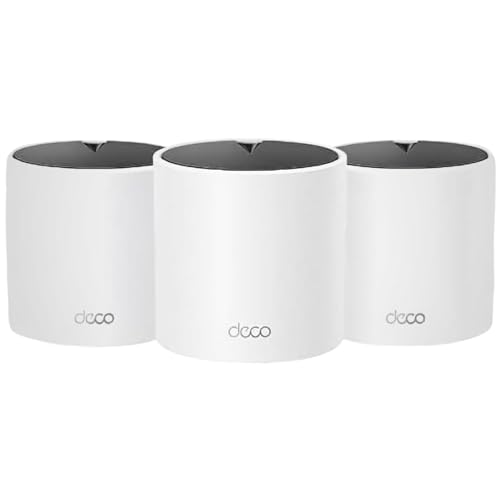
- Wi-Fi 6 AX1500 dual-band mesh
- Covers up to 5,600 square feet
- Basic parental controls and HomeShield security
Best For: Large homes with many connected devices
Best Budget Family Pick

- Covers up to 3,800 square feet
- Profile-based time limits and website blocking
- Wi-Fi 5 mesh for up to 75 devices
Best For: Smaller homes wanting simple family controls
Best for Device-Dense Homes
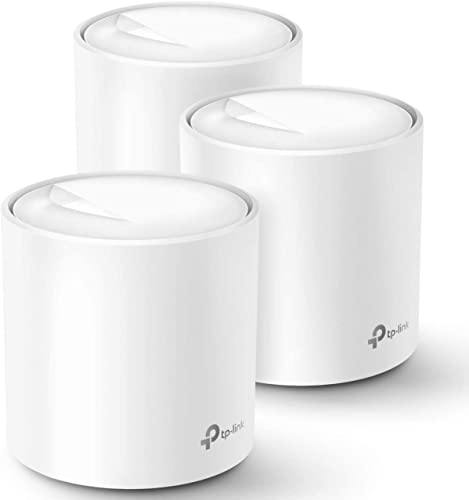
- Wi-Fi 6 AX1800 mesh coverage
- Covers up to 5,800 square feet
- Supports up to 150 devices with app-based controls
Best For: Busy households with many simultaneous connections
Simple Coverage Pick – Google WiFi 2-Pack
For shoppers comparing mesh wifi systems with parental controls, this Google WiFi 2-pack emphasizes straightforward setup and dependable whole-home coverage. Its dual-band Wi-Fi 5 design covers up to 3,800 square feet and supports app-based management.
Best For: Homes and small offices that want simple mesh coverage with parental controls.
Pros:
- Covers up to 3,800 square feet with two units.
- Supports app control and parental controls.
- Offers up to 2.2 Gbps of stated data transfer rate.
- Can be expanded with additional WiFi points.
Cons:
- Uses Wi-Fi 5 rather than the newer Wi-Fi 6 or Wi-Fi 6E standards.
- Its listed router firewall security level is basic.
This is a practical option when ease of use and broad everyday coverage matter more than the latest wireless generation or advanced security features.
Large-Home Value Pick – TP-Link Deco X55 3-Pack
The TP-Link Deco X55 is a strong contender among mesh wifi systems with parental controls for larger homes. This three-pack uses Wi-Fi 6, covers up to 6,500 square feet, and includes Ethernet backhaul support for more consistent wired node connections.
Best For: Larger households that need extensive coverage, many device connections, and practical network management.
Pros:
- Provides up to 6,500 square feet of whole-home coverage.
- Wi-Fi 6 design supports up to 150 connected devices.
- Includes basic parental controls through TP-Link HomeShield.
- Each unit has three Gigabit Ethernet ports and supports wired backhaul.
Cons:
- The included parental controls are the no-cost basic features of HomeShield.
- A modem is required for most internet service providers.
With generous coverage, multiple Gigabit ports, and Wi-Fi 6 capacity, the Deco X55 is well suited to busy homes that need more flexibility than a basic wireless-only mesh kit.
Renewed Budget Option – TP-Link Deco W4500 3-Pack
For buyers seeking mesh wifi systems with parental controls at a potentially lower entry point, this renewed TP-Link Deco W4500 3-pack offers Wi-Fi 6 coverage for up to 5,600 square feet. Its mesh network is designed to keep devices connected as they move around the home.
Best For: Budget-conscious households wanting a renewed three-node Wi-Fi 6 system with parental controls.
Pros:
- Covers up to 5,600 square feet.
- Uses Wi-Fi 6 with stated speeds up to 1,500 Mbps.
- Supports OFDMA and MU-MIMO for more simultaneous device transmissions.
- Provides unified roaming across the mesh network.
Cons:
- This listing is for a renewed product.
- The supplied notes provide fewer details about ports, app features, and security controls than the other systems here.
The W4500 makes sense when coverage and Wi-Fi 6 efficiency are priorities, but shoppers should weigh the renewed condition and verify the included management features before buying.
Advanced Performance Pick – TP-Link Deco XE75 3-Pack
The TP-Link Deco XE75 is aimed at shoppers who want mesh wifi systems with parental controls plus the added capacity of Wi-Fi 6E. Its tri-band design covers up to 7,200 square feet, uses a dedicated 6 GHz band, and supports up to 200 devices.
Best For: Large, busy homes with compatible Wi-Fi 6E devices and demanding network workloads.
Pros:
- Offers up to 7,200 square feet of coverage.
- Tri-band Wi-Fi 6E reaches a combined stated rate of 5,400 Mbps.
- The 6 GHz band can serve as a backhaul or connect compatible devices.
- Includes basic parental controls, security features, and reports through HomeShield.
Cons:
- The benefits of 6 GHz are most relevant to compatible Wi-Fi 6E devices.
- The supplied HomeShield parental-control features are listed as basic.
- A modem is required for most internet service providers.
The XE75 is the strongest choice here for capacity and future-focused wireless performance, particularly where many devices and Wi-Fi 6E compatibility justify its more advanced tri-band design.
Best for Large Homes – DBIT D-MAX6 AX3000 3-Pack
The DBIT D-MAX6 is a strong option among mesh wifi systems with parental controls for large homes and busy connected households. Its three Wi-Fi 6 units are rated for up to 6,500 square feet and up to 150 devices, while the companion app provides network management, guest networks, and parental controls.
Best For: Large or multistory homes that need broad coverage, Wi-Fi 6 performance, and support for many connected devices.
Pros:
- Three-pack coverage is rated for up to 6,500 square feet.
- AX3000 dual-band Wi-Fi 6 supports demanding activities such as 4K/8K streaming and gaming.
- App-based parental controls, activity monitoring, WPA3 security, and automatic firmware updates.
- Six Gigabit Ethernet ports provide wired connection and backhaul options.
Cons:
- The system is a larger three-unit setup that may be more than smaller homes need.
- The supplied notes do not specify whether all parental-control features require a subscription.
Choose the D-MAX6 when coverage, capacity, and flexible management matter more than keeping the system minimal. It combines extensive rated coverage with modern Wi-Fi 6 features and useful controls in one app.
Best Renewed Wi-Fi 6 Value – TP-Link Deco X25 3-Pack
TP-Link - Deco X25 AX1800 Dual-Band Whole Home Mesh Wi-Fi 6 System (3-Pack) - White (Renewed)
Check Price On AmazonThe renewed TP-Link Deco X25 is a practical pick among mesh wifi systems with parental controls if you want Wi-Fi 6 coverage at a potentially lower entry cost. Its three units are rated for up to 5,800 square feet, with built-in antivirus, device-management controls, QoS, and two Gigabit WAN/LAN ports per unit.
Best For: Buyers seeking a renewed three-unit Wi-Fi 6 mesh system with security tools, parental controls, and wired connectivity.
Pros:
- Three-pack coverage is rated for up to 5,800 square feet.
- Wi-Fi 6 dual-band performance reaches up to 1.8 Gbps.
- Built-in antivirus, parental controls, and QoS help manage and prioritize network use.
- Each unit has two Gigabit WAN/LAN ports for wired connections.
Cons:
- As a renewed product, it includes a listed 90-day limited warranty.
- The supplied information provides less detail about the specific parental-control scheduling and filtering options.
The Deco X25 makes sense when you want current Wi-Fi 6 connectivity and family-management features without stepping up to a premium system. Be sure the shorter renewed-product warranty fits your comfort level.
Best Budget Family Mesh – TP-Link Deco S4 AC1900 3-Pack
The TP-Link Deco S4 is a straightforward choice among mesh wifi systems with parental controls for families that do not need Wi-Fi 6. Its three Wi-Fi 5 units cover up to 5,500 square feet, support up to 100 devices, and let you create family profiles to limit online time and block inappropriate websites.
Best For: Families wanting broad, easy-to-manage coverage and profile-based parental controls at a lower-tier Wi-Fi specification.
Pros:
- Three units provide rated coverage of up to 5,500 square feet.
- Parental controls support family profiles, online-time limits, and website blocking.
- Seamless roaming uses one network name and password throughout the home.
- Six Gigabit Ethernet ports and wired backhaul support stable connections.
Cons:
- Wi-Fi 5 technology and up to 1,200 Mbps are less current than Wi-Fi 6 alternatives.
- The system is rated for up to 100 devices, fewer than the larger-capacity option in this roundup.
- A modem is required for most internet service providers.
The Deco S4 is a sensible family-focused option if dependable coverage and simple controls matter more than the newest wireless standard. Its profile-based restrictions are especially useful for managing children’s internet access across a single home network.
Best with Extra Features – TP-Link Deco X15 3-Pack
The TP-Link Deco X15 is a strong option for shoppers comparing mesh wifi systems with parental controls for larger homes. This Wi-Fi 6, dual-band three-pack covers up to 5,600 square feet, supports up to 120 devices, and includes app-based basic parental controls through TP-Link HomeShield.
Best For: Large homes with many connected devices and families that want Wi-Fi 6 performance, broad coverage, and basic parental controls.
Pros:
- Up to 5,600 square feet of coverage from the three-pack.
- Wi-Fi 6 AX1500 speeds and support for up to 120 devices.
- Basic parental controls, network security, device identification, and usage reports are available through HomeShield.
- Six Gigabit Ethernet ports total, with support for wired backhaul.
Cons:
- The listed parental-control features are the basic HomeShield tier; additional features may require a paid service.
- It is a dual-band system rather than a tri-band design.
The Deco X15 combines extensive coverage with modern Wi-Fi 6 capabilities and practical family-management tools. It is particularly appealing when whole-home reach and device capacity matter more than advanced premium controls.
Best Budget Family Pick – TP-Link Deco S4 2-Pack
The TP-Link Deco S4 is a straightforward choice for families seeking mesh wifi systems with parental controls at a lower tier of performance. Its two units cover up to 3,800 square feet, create one roaming network, and let parents limit online time and block inappropriate websites through customizable profiles.
Best For: Smaller or mid-size homes that need simple whole-home coverage and more clearly defined family controls.
Pros:
- Two-unit system covers up to 3,800 square feet.
- Parental controls can limit online time and block inappropriate websites by profile.
- Supports up to 75 devices and seamless roaming under one network name.
- Four Gigabit Ethernet ports total and wired Ethernet backhaul support.
Cons:
- Uses Wi-Fi 5 rather than the newer Wi-Fi 6 standard.
- The two-pack has less coverage and device capacity than the three-pack systems in this roundup.
The Deco S4 is an affordable, family-oriented mesh option with useful scheduling and content-filtering controls. It makes the most sense for households that do not need Wi-Fi 6 but still want dependable roaming and straightforward parental-management features.
Best for Device-Dense Homes – TP-Link Deco X20 3-Pack
The TP-Link Deco X20 is a well-rounded pick among mesh wifi systems with parental controls, combining Wi-Fi 6 coverage with family access management. The three-pack covers up to 5,800 square feet, supports up to 150 devices, and uses app-managed profiles to limit and monitor internet access.
Best For: Busy households with numerous phones, streaming devices, computers, and smart-home products that need broad Wi-Fi 6 coverage.
Pros:
- Wi-Fi 6 AX1800 coverage for up to 5,800 square feet.
- Supports up to 150 connected devices.
- Profiles let you customize, limit, and monitor Wi-Fi access for people and devices.
- Six Gigabit Ethernet ports total and wired backhaul support.
Cons:
- The listed HomeShield parental controls are the basic tier; premium features may be separate.
- It is dual-band, so it does not provide a dedicated third band for backhaul.
The Deco X20 offers the strongest stated combination of capacity and coverage in this group while retaining family-focused controls. Choose it when a busy household needs room for many simultaneous connections and wants Wi-Fi 6 rather than basic Wi-Fi 5.
How We Picked the Best Mesh Wifi Systems with Parental Controls
We evaluated these systems by looking at the features that matter most in real homes: wireless standard, advertised coverage, device capacity, band configuration, setup simplicity, and the usefulness of each brand’s parental-control tools. We also included two- and three-unit kits, since the right node count depends on the home’s size, layout, construction, and number of dead zones.
Coverage claims are estimates rather than guarantees. Thick walls, neighboring networks, multiple floors, and node placement can reduce performance. Parental-control features may also vary by model, app version, subscription plan, and region, so verify current requirements before buying.
Quick Comparison
| System type | Best suited for | What to look for |
|---|---|---|
| WiFi 6 AX1500–AX1800 | Budget-conscious households | Good everyday speed and efficient coverage |
| WiFi 6 AX3000 | Busy family networks | More capacity for streaming, gaming, and smart-home devices |
| WiFi 6E tri-band | High-performance homes | Additional 6 GHz spectrum and faster wireless backhaul |
| WiFi 5 AC1900 | Basic internet plans | Lower cost, but less future-proof than WiFi 6 |
Key Buying Factors for Mesh Wifi Systems with Parental Controls
Coverage and Node Placement
Choose a kit based on your home’s layout, not just its square-footage claim. A two-pack can suit a smaller, open-plan home, while a three-pack is often more practical for multiple floors or distant rooms. Place the primary unit near the modem and satellite units where they still receive a strong signal.
Speed, Bands, and Backhaul
WiFi 6 is a sensible baseline for many households because it handles dense device environments more efficiently than older WiFi 5 systems. Tri-band models add another band that can improve communication between nodes, while WiFi 6E systems can use the 6 GHz band with compatible devices. Wired Ethernet backhaul can further improve consistency if your home is prewired.
Parental Controls and Subscriptions
Check whether controls include profiles, schedules, bedtime restrictions, category filtering, device pausing, and activity reporting. Some advanced features may require a paid subscription. Also confirm that controls work across phones, tablets, consoles, televisions, and guest devices as intended.
Ports and Compatibility
Confirm the system supports your internet speed and has enough Ethernet ports for wired devices. Most mesh systems work with common cable or fiber modems, but some ISP gateways need bridge or access-point mode to avoid double NAT.
Who Should Buy Which Mesh Wifi Systems with Parental Controls?
Choose an affordable WiFi 6 dual-band kit for typical browsing, streaming, and schoolwork. Move to an AX3000 system if several people stream, game, work remotely, or connect many smart-home devices at once. A tri-band WiFi 6E option makes the most sense for newer compatible devices, faster internet plans, and buyers who want more wireless capacity. WiFi 5 kits remain reasonable for smaller homes or modest broadband plans, especially when price matters more than future-proofing.